Web Hosting, Virtual Servers and Performance Guide

Modern workspace with laptop showing web hosting dashboard and SME elements

Comprehensive Guide to Web Hosting, Virtual Servers, and Performance Optimization for SMEs

In the digital age, small and medium enterprises (SMEs) face the challenge of establishing a robust online presence while managing costs effectively. This comprehensive guide delves into web hosting, virtual servers, and performance optimization, providing SMEs with the knowledge to make informed decisions. Readers will learn about the various types of hosting solutions, the benefits of virtual private servers (VPS), and strategies to enhance server performance. As businesses increasingly rely on digital platforms, understanding these concepts is crucial for maintaining competitiveness and ensuring operational efficiency. This article will cover essential topics, including the advantages of VPS, setup procedures, key features of managed hosting services, and techniques for optimizing cloud server performance.

What Are Virtual Private Servers and How Do They Benefit Your Business?

Virtual private server setup in a high-tech data center environment

Virtual Private Servers (VPS) are a type of hosting solution that combines the benefits of shared and dedicated hosting. A VPS operates on a physical server but allocates dedicated resources to each user, providing greater control and flexibility. This setup allows businesses to run their applications and websites with improved performance and security. For SMEs, the cost-effectiveness of VPS is a significant advantage, as it offers dedicated resources at a fraction of the cost of a dedicated server. Additionally, VPS solutions can scale with business growth, making them an ideal choice for companies anticipating increased traffic or resource needs.

Further emphasizing the economic advantages, research highlights how virtualization technology can significantly enhance operational cost efficiency for SMEs.

Virtualization for SME Cost Efficiency & Resource Optimization

Server consolidation services play a crucial role in optimizing resource utilization and reducing costs while virtualization technology offers substantial benefits, SMEs should carefully

The Role Of Virtualization Technology To Increase Operational Cost Efficiency Of Indonesian Smes: Case Study Of Internet Service Providers, SA ISWARA, 2024

How to Set Up a Virtual Private Server for Optimal Performance

Setting up a Virtual Private Server involves several key steps to ensure optimal performance. First, choose a reliable hosting provider that offers VPS solutions tailored to your business needs. Next, select the appropriate operating system and software stack that aligns with your applications. After installation, configure your server settings, including security measures and resource allocation, to maximize efficiency. Regular monitoring and maintenance are essential to ensure that your VPS runs smoothly and securely, allowing your business to focus on growth without technical interruptions.

Key Features of Managed Hosting Services for SMEs

Managed hosting services provide SMEs with a range of features designed to simplify server management and enhance performance. Key features include:

  1. Scalability: Managed hosting allows businesses to easily scale resources up or down based on demand, ensuring optimal performance during peak times.
  2. 24/7 Support: Access to round-the-clock technical support helps resolve issues quickly, minimizing downtime and maintaining business continuity.
  3. Security Features: Managed hosting services often include advanced security measures, such as firewalls and regular backups, to protect sensitive data.

GetUK Support specializes in providing tailored managed hosting solutions that cater to the unique needs of SMEs, ensuring they can focus on their core business activities while enjoying peace of mind regarding their IT infrastructure.

How Can You Optimize Cloud Server Performance and Server Uptime?

Cloud server environment with performance monitoring tools and metrics

Optimizing cloud server performance is crucial for maintaining high availability and ensuring a seamless user experience. Several techniques can be employed to achieve this:

  • Performance Monitoring Tools: Utilize tools that track server performance metrics, such as CPU usage, memory consumption, and network latency. This data helps identify bottlenecks and areas for improvement.
  • Load Balancing: Distributing incoming traffic across multiple servers can prevent any single server from becoming overwhelmed, enhancing overall performance and uptime.
  • Regular Updates: Keeping software and applications up to date ensures that security vulnerabilities are patched and performance enhancements are implemented.

Implementing these strategies can significantly improve server uptime and performance, ultimately benefiting business operations.

Optimization TechniqueDescriptionImpact Level
Performance MonitoringTools that track server metricsHigh
Load BalancingDistributing traffic across serversHigh
Regular UpdatesKeeping software currentMedium

This table illustrates how different optimization techniques can enhance server performance and uptime, providing SMEs with actionable insights.

What Techniques Improve Hosting Performance and Reduce Latency?

Improving hosting performance and reducing latency are critical for delivering a superior user experience. Here are several effective techniques:

  1. Content Delivery Networks (CDNs): CDNs distribute content across multiple servers worldwide, reducing the distance data must travel to reach users, thus decreasing load times.
  2. Caching Strategies: Implementing caching mechanisms can significantly speed up data retrieval processes, allowing frequently accessed data to be served quickly.
  3. Optimized Database Queries: Streamlining database queries can reduce server load and improve response times, enhancing overall application performance.

By employing these techniques, businesses can ensure their websites and applications run efficiently, providing users with a fast and responsive experience.

Which Performance Monitoring Tools Are Essential for Server Uptime Optimization?

To maintain optimal server uptime, utilizing performance monitoring tools is essential. These tools help track various metrics and provide insights into server health. Key tools include:

  • Nagios: An open-source monitoring tool that provides comprehensive monitoring of server performance and alerts administrators to potential issues.
  • Zabbix: A powerful monitoring solution that offers real-time monitoring and visualization of server metrics, helping identify performance bottlenecks.
  • New Relic: A cloud-based monitoring service that provides detailed insights into application performance, allowing businesses to optimize their infrastructure effectively.

These tools are invaluable for ensuring that servers remain operational and perform at their best.

What Are the Differences Between Cloud Hosting and Dedicated Hosting Solutions?

Cloud hosting and dedicated hosting are two popular options for businesses, each with distinct advantages. The primary differences include:

  • Cost: Cloud hosting typically operates on a pay-as-you-go model, making it more cost-effective for SMEs. In contrast, dedicated hosting requires a higher upfront investment.
  • Scalability: Cloud hosting offers greater scalability, allowing businesses to adjust resources based on demand. Dedicated hosting, while powerful, may require more time and effort to scale.
  • Performance: Dedicated hosting often provides superior performance for resource-intensive applications, while cloud hosting excels in flexibility and redundancy.

Understanding these differences helps businesses choose the right hosting solution based on their specific needs and budget.

When Should SMEs Choose Dedicated Servers Over Cloud Hosting?

Choosing between dedicated servers and cloud hosting depends on several factors, including business needs and resource requirements. SMEs should consider dedicated servers when:

  • Resource Intensity: If applications require significant resources, dedicated servers can provide the necessary power and performance.
  • Compliance Requirements: Businesses with strict compliance needs may benefit from the enhanced security and control offered by dedicated servers.
  • Long-Term Stability: For companies expecting consistent traffic and resource needs, dedicated hosting can provide a stable and reliable solution.

Evaluating these factors can help SMEs make informed decisions about their hosting solutions.

How Does Hybrid Cloud Hosting Support Hybrid Workforces?

Hybrid cloud hosting combines the benefits of both public and private cloud environments, making it an ideal solution for businesses with hybrid workforces. This approach offers:

  • Flexibility: Employees can access resources from anywhere, facilitating remote work and collaboration.
  • Cost-Effectiveness: Businesses can optimize costs by utilizing public cloud resources for non-sensitive operations while keeping critical data secure in a private cloud.
  • Scalability: Hybrid cloud solutions allow businesses to scale resources as needed, accommodating fluctuating workloads and user demands.

By leveraging hybrid cloud hosting, SMEs can enhance productivity and adaptability in an increasingly remote work environment.

How Does Integrating Cyber Security Enhance Hosting Performance?

Integrating cyber security measures into hosting solutions is essential for protecting sensitive data and maintaining performance. Effective security practices can enhance hosting performance by:

  • Preventing Downtime: Robust security measures reduce the risk of cyberattacks that can lead to server downtime, ensuring continuous availability.
  • Optimizing Resource Usage: Security protocols can help identify and mitigate threats that consume server resources, allowing for more efficient operation.
  • Building Trust: A secure hosting environment fosters customer trust, encouraging user engagement and retention.

By prioritizing cyber security, businesses can protect their assets while ensuring optimal hosting performance.

What Are Best Practices for Securing Virtual Servers?

Securing virtual servers is crucial for protecting sensitive data and maintaining operational integrity. Best practices include:

  1. Access Controls: Implement strict access controls to limit who can access the server and its resources.
  2. Regular Updates: Keep all software and applications up to date to protect against vulnerabilities.
  3. Monitoring and Auditing: Regularly monitor server activity and conduct audits to identify and address potential security issues.

These practices help ensure that virtual servers remain secure and resilient against threats.

The importance of robust security measures in virtual hosting environments, especially for handling sensitive e-business data, is further underscored by academic research.

E-business Security in Virtual Hosting for SMEs

Potential customers of this SME would then view the SME web be directed to the SME user account and received by the SME for For sensitive data, such as credit card details, a secure

E-business security issues for SMEs in a virtual hosting environment, NI Williams, 2003

How Do Managed IT Services Combine Security and Hosting Efficiency?

Managed IT services offer a comprehensive approach to combining security and hosting efficiency. By outsourcing IT management, businesses can benefit from:

  • Integrated Solutions: Managed services provide a holistic approach to IT, ensuring that security measures are seamlessly integrated with hosting solutions.
  • Cost Savings: Outsourcing IT management can reduce operational costs while enhancing service quality.
  • Enhanced Performance: Managed services often include performance monitoring and optimization, ensuring that hosting solutions operate at peak efficiency.

GetUK Support specializes in providing managed IT services that enhance both security and hosting efficiency, allowing SMEs to focus on their core business activities.


Digital Marketing Strategy, SEO and Design Guide

Diverse small business owners collaborating on digital marketing strategies with laptops and marketing materials

Digital Marketing Strategy and SEO Guide: Essential Tactics and Tools for SMEs

In the rapidly evolving landscape of digital marketing, small and medium enterprises (SMEs) must adopt effective strategies to thrive. This guide delves into essential digital marketing tactics, SEO best practices, and the integration of marketing automation tools. Readers will learn how to enhance their online visibility, engage their audience, and streamline their marketing efforts. The focus will be on actionable insights that SMEs can implement to improve their digital presence and drive growth. Key sections include fundamental digital marketing tactics, SEO strategies, content marketing approaches, and the role of cloud services in modern marketing solutions. By addressing these areas, SMEs can navigate the complexities of digital marketing and position themselves for success.

What are the fundamental digital marketing tactics for SMEs?

Digital marketing encompasses a variety of tactics that SMEs can leverage to establish a strong online presence. These tactics include social media marketing, email marketing, content marketing, and search engine optimization (SEO). Each of these strategies plays a crucial role in reaching potential customers and building brand awareness.

  1. Social Media Marketing: Engaging with customers on platforms like Facebook, Instagram, and LinkedIn helps SMEs connect with their audience and promote their products or services effectively.
  2. Email Marketing: This tactic allows businesses to communicate directly with their customers, providing personalized content and offers that can drive conversions.
  3. Content Marketing: Creating valuable content that addresses customer needs can enhance brand loyalty and attract new leads.
  4. SEO: Optimizing website content for search engines increases visibility, making it easier for potential customers to find the business online.

By implementing these fundamental tactics, SMEs can create a comprehensive digital marketing strategy that drives engagement and growth.

How do SEO best practices improve online visibility?

Person analyzing website performance for SEO best practices with graphs and charts on a laptop

SEO best practices are essential for enhancing a website’s visibility on search engines. By understanding how search engine algorithms work, businesses can optimize their content to rank higher in search results. Key components of effective SEO include keyword optimization, quality content creation, and backlink strategies.

  1. Keyword Optimization: Identifying and using relevant keywords throughout website content helps search engines understand the topic and relevance of the pages.
  2. Quality Content: Producing high-quality, informative content that addresses user queries can improve engagement and encourage visitors to spend more time on the site.
  3. Backlinks: Building a network of backlinks from reputable sites signals to search engines that the content is trustworthy and valuable, further enhancing visibility.

Implementing these SEO best practices can significantly improve a business’s online presence, making it easier for potential customers to discover their offerings.

GetUK Support, a UK-based IT service provider, offers integrated solutions in digital marketing, helping SMEs enhance their SEO strategies and improve online visibility.

Which content marketing strategies drive engagement and leads?

Content marketing is a powerful tool for driving engagement and generating leads. Effective strategies include creating valuable content, utilizing various formats, and engaging with the audience through storytelling.

  1. Valuable Content Creation: Providing informative and relevant content that addresses the needs and interests of the target audience can establish authority and trust.
  2. Diverse Content Formats: Utilizing blogs, videos, infographics, and podcasts can cater to different preferences and increase audience engagement.
  3. Storytelling: Crafting compelling narratives around the brand or products can resonate with customers on an emotional level, encouraging them to connect with the brand.

By employing these content marketing strategies, SMEs can foster deeper relationships with their audience and drive higher conversion rates.

How can on-page SEO techniques optimize website performance?

On-page SEO techniques are crucial for optimizing individual web pages to rank higher and earn more relevant traffic. These techniques include optimizing meta tags, improving content quality, and enhancing user experience.

  1. Meta Tags: Properly formatted title tags and meta descriptions help search engines understand the content of the page and improve click-through rates.
  2. Content Quality: High-quality, relevant content that answers user queries can lead to better engagement and lower bounce rates.
  3. User Experience: Ensuring that the website is easy to navigate, mobile-friendly, and fast-loading enhances user satisfaction and encourages visitors to stay longer.

By focusing on these on-page SEO techniques, SMEs can significantly improve their website’s performance and search engine rankings.

What are the key elements of effective on-page SEO?

Effective on-page SEO involves several key elements that contribute to a website’s overall performance. These elements include title tags, headers, content quality, and user experience factors.

  1. Title Tags: These should be descriptive and include relevant keywords to help search engines understand the page’s content.
  2. Headers: Using headers (H1, H2, H3) to structure content improves readability and helps search engines index the information effectively.
  3. Content Quality: Providing valuable, well-researched content that meets user needs is essential for retaining visitors and encouraging shares.
  4. User Experience: Factors such as site speed, mobile optimization, and intuitive navigation play a significant role in user satisfaction.

By focusing on these key elements, SMEs can enhance their on-page SEO and improve their overall online visibility.

How to implement keyword research and meta tag optimization?

Implementing keyword research and meta tag optimization is vital for effective SEO. This process involves identifying relevant keywords and optimizing meta tags to improve search engine rankings.

  1. Keyword Research: Utilize tools like Google Keyword Planner or SEMrush to identify high-traffic keywords relevant to the business. Focus on long-tail keywords that reflect user intent.
  2. Meta Tag Optimization: Ensure that title tags and meta descriptions are concise, include target keywords, and accurately describe the page content. This helps improve click-through rates from search results.
  3. Content Integration: Naturally incorporate identified keywords into the website content, ensuring that it flows well and provides value to the reader.

By following these steps, SMEs can effectively optimize their website for search engines and improve their chances of ranking higher in search results.

What marketing automation tools enhance digital marketing efficiency?

Person using a tablet to manage marketing automation tools with icons representing various applications

Marketing automation tools can significantly enhance the efficiency of digital marketing efforts. These tools streamline processes, improve targeting, and provide valuable insights into customer behavior.

  1. Email Automation: Tools like Mailchimp allow businesses to automate email campaigns, segment audiences, and track engagement metrics.
  2. Social Media Management: Platforms such as Hootsuite enable businesses to schedule posts, monitor engagement, and analyze performance across multiple social media channels.
  3. Analytics Tools: Google Analytics provides insights into website traffic, user behavior, and conversion rates, helping businesses make data-driven decisions.

By leveraging these marketing automation tools, SMEs can optimize their marketing strategies and improve overall efficiency.

GetUK Support offers tailored marketing automation solutions that help SMEs streamline their digital marketing efforts and enhance lead nurturing processes.

How does marketing automation support lead nurturing?

Marketing automation plays a crucial role in lead nurturing by enabling businesses to deliver personalized content and track customer interactions. This process helps build relationships and guide leads through the sales funnel.

  1. Automated Follow-Ups: Automated email sequences can be set up to follow up with leads based on their interactions, ensuring timely communication.
  2. Personalized Content: By segmenting audiences, businesses can deliver tailored content that resonates with specific customer needs and interests.
  3. Engagement Tracking: Marketing automation tools allow businesses to track lead engagement, providing insights into which content is most effective in nurturing leads.

By utilizing marketing automation for lead nurturing, SMEs can enhance their customer relationships and increase conversion rates.

Which tools integrate well with cloud services for SMEs?

Integrating tools with cloud services can enhance the efficiency and scalability of digital marketing efforts for SMEs. Several tools are particularly effective in this regard.

  1. CRM Systems: Tools like Salesforce and HubSpot offer cloud-based customer relationship management solutions that streamline sales and marketing processes.
  2. Project Management Tools: Platforms such as Trello and Asana facilitate collaboration and project tracking, making it easier for teams to manage marketing campaigns.
  3. Data Analytics Tools: Cloud-based analytics tools like Google Data Studio provide real-time insights into marketing performance, enabling data-driven decision-making.

By leveraging these tools, SMEs can improve their operational efficiency and enhance their digital marketing strategies.

How to design a cohesive digital marketing strategy integrating SEO and automation?

Designing a cohesive digital marketing strategy requires integrating SEO and marketing automation to create a unified approach. This strategy should align with business goals and target audience needs.

  1. Aligning Goals: Ensure that SEO objectives are aligned with overall marketing goals, such as increasing brand awareness or generating leads.
  2. Utilizing Data: Leverage data from marketing automation tools to inform SEO strategies, such as identifying high-performing keywords and content topics.
  3. Creating a Unified Approach: Develop a content calendar that incorporates both SEO-focused content and automated marketing campaigns to ensure consistency across channels.

By following these steps, SMEs can create a cohesive digital marketing strategy that effectively integrates SEO and automation.

What role does cloud technology play in scalable marketing solutions?

Cloud technology plays a significant role in providing scalable marketing solutions for SMEs. It offers flexibility, cost-effectiveness, and the ability to adapt to changing business needs.

  1. Scalability: Cloud-based solutions can easily scale to accommodate growing data and user demands, allowing businesses to expand their marketing efforts without significant infrastructure investments.
  2. Cost-Effectiveness: Utilizing cloud services reduces the need for on-premises hardware and maintenance, lowering overall operational costs.
  3. Flexibility: Cloud technology enables businesses to access marketing tools and data from anywhere, facilitating remote work and collaboration.

By embracing cloud technology, SMEs can enhance their marketing capabilities and respond more effectively to market changes.

How to tailor strategies for remote and hybrid workforces?

Tailoring marketing strategies for remote and hybrid workforces involves adapting to the unique challenges and opportunities presented by these work environments. Effective strategies include leveraging technology, fostering communication, and maintaining team engagement.

  1. Leveraging Technology: Utilize collaboration tools like Zoom and Slack to facilitate communication and project management among remote teams.
  2. Fostering Communication: Regular check-ins and updates can help maintain team cohesion and ensure everyone is aligned with marketing goals.
  3. Maintaining Engagement: Implementing team-building activities and recognition programs can help keep remote employees motivated and engaged.

By adapting marketing strategies to suit remote and hybrid workforces, SMEs can maintain productivity and drive successful marketing initiatives.

Cloud Migration, Backup and Hosted Infrastructure Guide

Cloud migration in a modern SME office with employees collaborating over technology

Comprehensive Cloud Migration, Backup, and Hosted Infrastructure Guide for SMEs

In the rapidly evolving digital landscape, cloud migration has emerged as a pivotal strategy for small and medium-sized enterprises (SMEs) seeking to enhance operational efficiency and scalability. This guide delves into the intricacies of cloud migration, backup solutions, and hosted infrastructure, providing SMEs with the knowledge to navigate these essential IT services. Readers will learn about the benefits of cloud migration, the importance of disaster recovery planning, and the advantages of hosted infrastructure services tailored for their unique needs. As businesses increasingly rely on digital solutions, understanding these concepts becomes crucial for maintaining competitiveness and ensuring business continuity. This article will cover key topics, including the steps involved in IT infrastructure migration, the components of an effective disaster recovery plan, and the benefits of cloud backup solutions.

What is Cloud Migration and How Does It Benefit SMEs?

Cloud migration refers to the process of moving data, applications, and other business elements from on-premises infrastructure to cloud-based environments. This transition allows SMEs to leverage the scalability, flexibility, and cost-effectiveness of cloud computing. By adopting cloud migration strategies, businesses can enhance their operational efficiency, reduce IT costs, and improve accessibility to critical resources. The benefits of cloud migration for SMEs include increased collaboration, improved data security, and the ability to scale resources according to demand.

How Does Cloud Migration Improve Business Continuity?

Cloud migration significantly enhances business continuity by ensuring that critical data and applications are accessible even during unforeseen disruptions. By utilizing cloud services, SMEs can implement robust backup and recovery solutions that minimize downtime and protect against data loss. This capability is essential for maintaining operations during emergencies, such as natural disasters or cyberattacks. Furthermore, cloud environments often provide automated updates and maintenance, ensuring that systems remain secure and up-to-date, which is vital for uninterrupted business operations.

What Are the Key Steps in IT Infrastructure Migration?

Migrating IT infrastructure involves several critical steps to ensure a smooth transition to the cloud. These steps typically include:

  1. Assessment: Evaluate current infrastructure and identify applications suitable for migration.
  2. Planning: Develop a comprehensive migration strategy that outlines timelines, resources, and potential risks.
  3. Execution: Implement the migration plan, transferring data and applications to the cloud environment.
  4. Testing: Conduct thorough testing to ensure that all systems function correctly post-migration.
  5. Monitoring: Continuously monitor the new cloud environment to address any issues that may arise.

By following these steps, SMEs can effectively manage their migration process and minimize disruptions.

How to Develop an Effective Disaster Recovery Plan for Your Business?

Team discussing a disaster recovery plan in a conference room with planning materials

An effective disaster recovery plan (DRP) is essential for SMEs to safeguard their data and ensure business continuity in the event of a disaster. A well-structured DRP outlines the procedures for recovering critical systems and data, minimizing downtime, and maintaining operations. Key components of a disaster recovery plan include risk assessment, recovery strategies, and regular testing of the plan to ensure its effectiveness.

What Are the Essential Components of a Disaster Recovery Plan?

A comprehensive disaster recovery plan should include the following essential components:

  1. Data Backup Strategies: Implement regular data backups to secure critical information.
  2. Risk Assessment: Identify potential risks and vulnerabilities that could impact business operations.
  3. Testing and Maintenance: Regularly test the DRP to ensure its effectiveness and update it as necessary.

These components work together to create a robust framework for disaster recovery, enabling SMEs to respond effectively to unexpected events.

GetUK Support offers tailored disaster recovery solutions that can help SMEs develop and implement effective plans to protect their data and ensure business continuity.

How Does Disaster Recovery Protect SMEs from Data Loss?

Disaster recovery solutions play a crucial role in protecting SMEs from data loss by providing structured processes for data backup and recovery. These solutions ensure that critical data is regularly backed up and can be restored quickly in the event of a failure. By implementing a disaster recovery plan, SMEs can mitigate the risks associated with data loss, such as financial losses and reputational damage. Furthermore, having a solid disaster recovery strategy in place enhances customer trust and confidence in the business’s ability to manage crises effectively.

What Are Cloud Backup Solutions and Their Advantages?

Illustration of cloud backup solutions with devices backing up data to a secure cloud

Cloud backup solutions offer a secure and efficient way for SMEs to protect their data. These solutions automatically back up data to cloud storage, ensuring that it is safe from local hardware failures or disasters. The advantages of cloud backup solutions include:

  1. Scalability: Easily adjust storage capacity as business needs change.
  2. Cost-Effectiveness: Reduce costs associated with maintaining physical backup infrastructure.
  3. Accessibility: Access data from anywhere with an internet connection, facilitating remote work.

By leveraging cloud backup solutions, SMEs can enhance their data protection strategies and ensure business continuity.

Which Managed Backup Services Are Best for Remote and Hybrid Workforces?

For remote and hybrid workforces, selecting the right managed backup services is crucial. The best services should offer:

  1. Automated Backups: Ensure that data is backed up regularly without manual intervention.
  2. Multi-Device Support: Provide backup solutions for various devices, including laptops, desktops, and mobile devices.
  3. Data Encryption: Protect sensitive information with robust encryption methods.

These criteria help SMEs choose managed backup services that align with their operational needs and enhance data security.

How Do Cloud Backup Solutions Integrate with Cyber Security Measures?

Integrating cloud backup solutions with cyber security measures is essential for comprehensive data protection. Effective integration involves:

  1. Data Encryption: Encrypting data both in transit and at rest to prevent unauthorized access.
  2. Access Controls: Implementing strict access controls to ensure that only authorized personnel can access sensitive data.
  3. Regular Security Audits: Conducting audits to identify vulnerabilities and ensure compliance with security standards.

By combining cloud backup solutions with robust cyber security measures, SMEs can create a multi-layered defense against data breaches and cyber threats.

The importance of integrating robust cybersecurity with cloud solutions is further emphasized by ongoing research into resilient digital transformation.

Cloud Cybersecurity for Resilient Digital Transformation

The increasing reliance on cloud computing technologies has driven digital business transformation across various industries, offering scalability, flexibility, and cost efficiency. However, this rapid adoption has simultaneously introduced complex cybersecurity challenges, including data breaches, unauthorized access, and system vulnerabilities that threaten operational continuity and trust. In response to these growing concerns, this study aims to analyze and develop effective cloud based cybersecurity strategies that enhance the resilience of digital business operations during transformation processes. The objective of this research is to identify and evaluate strategic cybersecurity practices that can strengthen cloud infrastructure during digital change.

Strategic Integration of Cloud Cybersecurity for Resilient Digital Business Transformation, E Erika, 2025

What Are the Benefits of Hosted Infrastructure Services for SMEs?

Hosted infrastructure services provide SMEs with a range of benefits that enhance operational efficiency and reduce costs. These benefits include:

  1. Cost Savings: Eliminate the need for expensive on-premises hardware and maintenance.
  2. Scalability: Easily scale resources up or down based on business needs.
  3. Expert Support: Access to specialized IT support without the need for in-house expertise.

These advantages make hosted infrastructure services an attractive option for SMEs looking to optimize their IT operations.

GetUK Support specializes in providing tailored IT solutions, including hosted infrastructure services, designed to meet the unique needs of SMEs. For businesses seeking to enhance their IT capabilities, exploring these services can lead to significant improvements in efficiency and performance.

How Does Hosted Infrastructure Support Multi-Site Organizations?

Hosted infrastructure services are particularly beneficial for multi-site organizations, as they enable centralized management of IT resources. This support facilitates:

  1. Improved Collaboration: Teams across different locations can easily access shared resources and collaborate effectively.
  2. Cost Efficiency: Reduce operational costs by consolidating IT resources into a single hosted environment.
  3. Consistent Performance: Ensure that all sites benefit from the same level of service and support.

By leveraging hosted infrastructure, multi-site organizations can enhance their operational efficiency and streamline their IT management processes.

What Compliance Standards Should SMEs Consider for Hosted Infrastructure?

When adopting hosted infrastructure services, SMEs must consider various compliance standards to ensure data protection and regulatory adherence. Key compliance standards include:

  1. GDPR: Ensures the protection of personal data for individuals within the European Union.
  2. ISO Standards: Provides frameworks for managing information security and data protection.
  3. Industry-Specific Regulations: Compliance with regulations specific to the industry, such as HIPAA for healthcare organizations.

Understanding and adhering to these compliance standards is essential for SMEs to mitigate risks and protect sensitive information.

Business Continuity, Disaster Recovery and IT Resilience

Business professionals collaborating on continuity strategies in a modern office

Comprehensive Business Continuity, Disaster Recovery, and IT Resilience Strategies for SMEs and Hybrid Workforces

In an increasingly unpredictable business landscape, the importance of robust business continuity, disaster recovery, and IT resilience strategies cannot be overstated. These frameworks are essential for small and medium-sized enterprises (SMEs) and hybrid workforces, ensuring that operations can continue smoothly despite disruptions. This article will delve into the critical components of these strategies, exploring their mechanisms and benefits. Readers will learn how effective planning can safeguard their businesses against unforeseen events, enhancing operational resilience and overall stability. We will cover key topics, including the definition of business continuity, the role of disaster recovery plans, and best practices for developing IT resilience strategies.

What is Business Continuity and Why is it Essential for Growing SMEs?

Business continuity refers to the processes and procedures that organizations put in place to ensure that essential functions can continue during and after a disaster. For growing SMEs, having a solid business continuity plan is crucial as it minimizes downtime and financial losses during unexpected events. This proactive approach not only protects the organization’s assets but also builds trust with clients and stakeholders.

Academics further explore the intricate relationship between business continuity and broader organizational resilience, highlighting their commonalities and distinctions.

Understanding Business Continuity & Organizational Resilience

The concepts of business continuity management, operational resilience, and organizational resilience each refer to actions that businesses and organizations can take in anticipating and responding to disruptions. However, the existing definitions and usages are difficult to differentiate due to overlapping objectives, implementation processes, and outcomes. This article examines definitions and approaches for these three concepts and suggest a framework to operationalize methods and tools relevant to each.

Business continuity management, operational resilience, and organizational resilience: Commonalities, distinctions, and synthesis, SE Galaitsi, 2023

GetUK Support, a UK-based IT service provider, specializes in comprehensive IT resilience, business continuity, and disaster recovery solutions tailored for SMEs. Their expertise ensures that businesses can maintain operations even in challenging circumstances.

How Does Business Continuity Planning Support Operational Resilience?

Business continuity planning is integral to operational resilience, which is the ability of an organization to adapt to disruptions while maintaining essential functions. Effective planning involves identifying critical business functions, assessing risks, and developing strategies to mitigate those risks.

Key elements of business continuity planning include:

  1. Risk Assessment: Identifying potential threats and vulnerabilities.
  2. Business Impact Analysis: Evaluating the effects of disruptions on operations.
  3. Strategy Development: Creating actionable plans to ensure continuity.

By implementing these strategies, organizations can enhance their operational resilience, ensuring they are prepared for any eventuality. GetUK Support offers tailored solutions that help businesses develop and implement effective continuity plans.

What Are the Key Components of Effective Business Continuity Plans?

Effective business continuity plans consist of several essential components that work together to ensure organizational resilience. These components include:

ComponentDescriptionImportance
Risk AssessmentIdentifying potential threats to business operationsHelps prioritize resources and planning efforts
Business Impact AnalysisEvaluating the potential impact of disruptionsInforms decision-making and resource allocation
Recovery StrategiesDeveloping plans for restoring operationsEnsures quick recovery and minimizes downtime

These components are vital for creating a comprehensive business continuity plan that can withstand various disruptions, from natural disasters to cyber-attacks.

How Do Disaster Recovery Plans Protect Your Business from IT Disruptions?

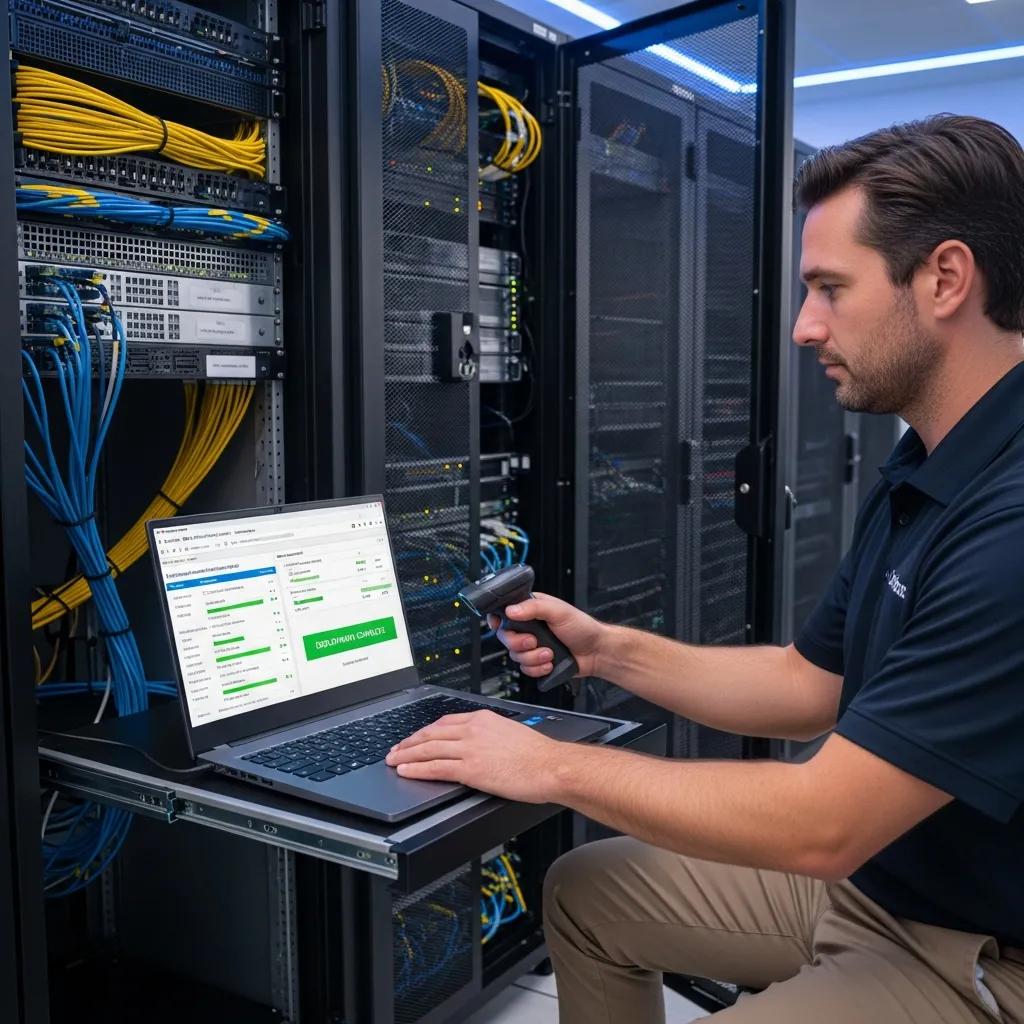
Technician monitoring disaster recovery systems in a secure server room

Disaster recovery plans are a subset of business continuity planning focused specifically on restoring IT systems and data after a disruption. These plans are crucial for protecting businesses from the adverse effects of IT failures, such as data loss or system outages.

A well-structured disaster recovery plan includes:

  1. Data Backup Solutions: Regularly backing up data to prevent loss.
  2. System Redundancy: Implementing failover systems to maintain operations.
  3. Testing and Updates: Regularly testing the plan to ensure effectiveness.

By having a robust disaster recovery plan in place, businesses can quickly recover from IT disruptions, minimizing downtime and financial losses.

What Are Best Practices for Developing IT Disaster Recovery Services?

Developing effective IT disaster recovery services involves adhering to best practices that ensure comprehensive protection against potential disruptions. Key best practices include:

  1. Regular Testing: Conducting drills to test the effectiveness of the disaster recovery plan.
  2. Documentation: Keeping detailed records of recovery procedures and contacts.
  3. Continuous Improvement: Regularly updating the plan based on new threats and changes in the business environment.

These practices help organizations stay prepared for unexpected events, ensuring that they can respond swiftly and effectively.

How Does Disaster Recovery Integrate with Business Continuity?

Disaster recovery and business continuity are closely linked, with each supporting the other. While business continuity focuses on maintaining essential functions during a disruption, disaster recovery specifically addresses the restoration of IT systems and data.

The integration of these two strategies provides several benefits:

  • Holistic Approach: Ensures that all aspects of the organization are prepared for disruptions.
  • Streamlined Processes: Facilitates quicker recovery through coordinated efforts.
  • Enhanced Communication: Improves communication between teams during a crisis.

By understanding how disaster recovery integrates with business continuity, organizations can create a more resilient operational framework.

Which Cyber Resilience Strategies Strengthen Your IT Infrastructure?

Cyber resilience strategies are essential for protecting IT infrastructure from cyber threats. These strategies focus on not only preventing attacks but also ensuring that organizations can recover quickly if an attack occurs.

Key cyber resilience strategies include:

  1. Regular Security Audits: Assessing vulnerabilities in the IT infrastructure.
  2. Employee Training: Educating staff on cybersecurity best practices.
  3. Incident Response Plans: Developing procedures for responding to cyber incidents.

Implementing these strategies helps organizations strengthen their IT infrastructure, making them more resilient against cyber threats.

How Can Cyber Security Services Mitigate Emerging Threats?

Cyber security services play a critical role in mitigating emerging threats by providing organizations with the tools and expertise needed to protect their digital assets. These services include:

  1. Threat Monitoring: Continuously monitoring for potential threats and vulnerabilities.
  2. Incident Response: Rapidly responding to security incidents to minimize damage.
  3. Compliance Support: Ensuring adherence to relevant regulations and standards.

By leveraging cyber security services, organizations can enhance their overall security posture and reduce the risk of cyber incidents.

What Role Does Zero Trust Security Play in IT Resilience?

Zero Trust Security is a security model that assumes that threats could be both external and internal. This approach requires strict verification for every user and device attempting to access resources, regardless of their location.

Research specifically underscores the effectiveness of Zero Trust Security in enhancing cybersecurity for Micro, Small, and Medium Enterprises (MSMEs) against evolving threats.

Zero Trust Security for MSME Cybersecurity

This research examines the implementation of Zero Trust Security in Enterprise Architecture in Micro, Small, and Medium Enterprises to improve cybersecurity. The background of this research focuses on the increasing cyber threats faced by MSMEs and their limitations in adopting advanced security systems. The purpose of this study is to evaluate the effectiveness of Zero Trust Security in protecting MSME data and information systems from internal and external threats, as well as identifying challenges and solutions in its implementation.

Implementation of zero trust security in MSME enterprise architecture: challenges and solutions, A Rahman, 2024

The benefits of implementing Zero Trust Security include:

  • Enhanced Security: Reduces the risk of unauthorized access.
  • Improved Visibility: Provides better insights into user activity and potential threats.
  • Adaptability: Allows organizations to respond quickly to emerging threats.

By adopting a Zero Trust Security model, organizations can significantly enhance their IT resilience.

Why Are Cloud Backup Solutions Critical for Remote and Hybrid Workforces?

Remote worker accessing cloud backup solutions in a cozy home office

Cloud backup solutions are essential for remote and hybrid workforces, providing a secure and reliable way to store and access data from anywhere. These solutions offer several advantages:

Further emphasizing the benefits, research highlights how cloud-based disaster recovery offers a cost-effective and appealing option for SMEs.

Cloud Disaster Recovery Solutions for SMEs

Cloud based disaster recovery is very cost efficient and doesn’t need much it infrastructure to be setup at the client side. This makes it a very appealing option for SME’s looking forward to setup disaster recovery. The cloud is an appealing option for disaster recovery because it provides a cost effective solution for data backup and recovery.

Disaster recovery services in the cloud for SMEs, 2012
  1. Accessibility: Enables employees to access data from any location.
  2. Scalability: Allows organizations to easily scale their storage needs.
  3. Cost-Effectiveness: Reduces the need for on-premises infrastructure.

By utilizing cloud backup solutions, organizations can ensure that their data is protected and accessible, regardless of where their employees are working.

How Do Cloud Backup Services Ensure Data Protection and Recovery?

Cloud backup services ensure data protection and recovery through a combination of advanced technologies and best practices. Key features of these services include:

  1. Automated Backups: Regularly scheduled backups to prevent data loss.
  2. Encryption: Protecting data both in transit and at rest.
  3. Disaster Recovery Options: Providing options for quick data recovery in case of a disaster.

These features help organizations maintain data integrity and ensure that they can recover quickly from any disruptions.

What Compliance Standards Should Cloud Backup Solutions Meet in the UK?

In the UK, cloud backup solutions must adhere to various compliance standards to ensure data protection and privacy. Key compliance standards include:

  1. GDPR: Ensuring that personal data is processed lawfully and transparently.
  2. ISO 27001: Establishing an information security management system.
  3. Data Protection Act 2018: Complying with national data protection regulations.

By ensuring that cloud backup solutions meet these compliance standards, organizations can protect their data and maintain trust with their customers.

Business in Glossop - Managed IT Support

managed IT support

M

anaged IT Support Services for Businesses in Glossop: Comprehensive Solutions and Benefits

In today’s fast-paced digital landscape, businesses in Glossop are increasingly reliant on technology to drive their operations. Managed IT support services offer a strategic solution to ensure that these technological needs are met efficiently and effectively. This article delves into the various aspects of managed IT support, including its definition, core components, and the specific benefits it provides to small and medium enterprises (SMEs) in Glossop. As businesses face challenges such as cybersecurity threats and the need for “cloud solutions”, understanding managed IT support becomes crucial. We will explore how these services can enhance operational efficiency, improve security, and ultimately contribute to business growth. Key sections will cover network security solutions, cloud IT solutions, IT helpdesk services, and the costs associated with managed IT services.

What Are Managed IT Support Services and How Do They Benefit Glossop Businesses?

Managed IT support services encompass a range of IT solutions provided by third-party vendors to help businesses manage their technology needs. These services typically include network management, cybersecurity, data backup, and IT consultancy. By outsourcing these functions, businesses can focus on their core operations while ensuring that their IT infrastructure is robust and secure. The primary benefit of managed IT support is the ability to access expert knowledge and resources without the overhead costs of maintaining an in-house IT team.

Defining Managed IT Support and Its Core Components

Managed IT support involves several core components that work together to provide comprehensive IT solutions. These components include:

  1. Network Management: Ensuring that the network infrastructure is reliable and efficient.
  2. Cybersecurity: Implementing measures to protect against cyber threats and data breaches.
  3. Data Backup and Recovery: Regularly backing up data to prevent loss and ensuring quick recovery in case of incidents.
  4. IT Consultancy: Providing strategic advice on technology investments and improvements.

These components are essential for maintaining a secure and efficient IT environment, allowing businesses in Glossop to operate smoothly and effectively.

Key Advantages for Small and Medium Enterprises in Glossop

For small and medium enterprises in Glossop, the advantages of managed IT support are significant. These include:

  1. Cost Savings: By outsourcing IT support, businesses can reduce the costs associated with hiring and training in-house staff.
  2. Increased Efficiency: Managed IT services streamline operations, allowing businesses to focus on their core activities.
  3. Access to Expertise: SMEs gain access to a team of IT professionals with specialized knowledge and experience.

These benefits collectively enhance the operational capabilities of businesses, enabling them to compete more effectively in the market.

Which Network Security Solutions Protect Derbyshire Businesses Effectively?

Network security is a critical concern for businesses in Derbyshire, as cyber threats continue to evolve. Effective “network security” solutions are essential for safeguarding sensitive data and maintaining business continuity.

Essential Cybersecurity Measures for Local IT Support

To protect against cyber threats, businesses should implement several essential cybersecurity measures, including:

  • Firewalls: These act as barriers between trusted internal networks and untrusted external networks, preventing unauthorized access.
  • Antivirus Software: Regularly updated antivirus programs help detect and eliminate malware before it can cause damage.
  • Regular Updates: Keeping software and systems updated ensures that vulnerabilities are patched promptly.

Implementing these measures significantly reduces the risk of cyberattacks and enhances overall security.

The importance of robust cybersecurity measures is underscored by the significant financial and operational risks that cyberattacks pose to businesses, particularly SMEs.

Cyberattack Risks and Prevention for SMEs

AbstractOver the past decade, the number of cyberattacks affecting United States small- and medium-sized enterprises (SMEs) has increased substantially; with an average per-breach loss of $500,000 USD. Cyber-breaches most often result in business closure within 6 months of the breach. A modified Delphi technique used with a 20-member panel of cybersecurity experts was conducted to discover ways SMEs could prevent these breaches.

Strategic cybersecurity risk management practices for information in small and medium enterprises, M Preiksaitis, 2022

How Network Monitoring Enhances Business Security in Glossop

Network monitoring plays a vital role in enhancing business security by providing real-time insights into network activity. This proactive approach allows businesses to:

  • Detect Threats Early: Identifying unusual activity can help prevent potential breaches before they escalate.
  • Implement Proactive Response Strategies: Quick responses to detected threats can mitigate damage and protect sensitive information.

By investing in network monitoring, businesses in Glossop can strengthen their security posture and safeguard their operations.

How Do Cloud IT Solutions Improve Business Operations in Glossop?

Cloud IT solutions have revolutionized the way businesses operate, offering flexibility and scalability that traditional IT infrastructures cannot match. These solutions enable businesses to access resources and applications over the internet, facilitating remote work and collaboration.

Overview of Cloud Computing Services Tailored for Local Businesses

Local businesses can benefit from various cloud computing services, including:

  • Infrastructure as a Service (IaaS): Provides virtualized computing resources over the internet.
  • Software as a Service (SaaS): Delivers software applications via the cloud, eliminating the need for local installations.
  • Platform as a Service (PaaS): Offers a platform for developers to build, deploy, and manage applications without the complexity of infrastructure management.

These services are customizable to meet the specific needs of businesses in Glossop, enhancing operational efficiency.

Benefits of Cloud Migration and Remote Access Solutions

Migrating to cloud solutions offers several advantages, such as:

  • Cost Efficiency: Reduces the need for physical hardware and maintenance costs.
  • Flexibility and Scalability: Businesses can easily scale their IT resources up or down based on demand.
  • Improved Collaboration: Remote access solutions enable teams to collaborate seamlessly, regardless of location.

These benefits make cloud IT solutions an attractive option for businesses looking to enhance their operational capabilities.

Indeed, the adoption of cloud computing has become a transformative force for small businesses, offering a multitude of advantages that redefine operational paradigms.

Cloud Computing Benefits for Small Businesses

One of the popular technologies in the industry today is cloud computing and the use of cloud computing in small businesses is now fashionable, it has a remarkable impact on them by bringing a new way of working, accessing their data and storing it. The results of this study shows that there are several benefits that cloud computing has to offer small businesses if cloud computing is adopted and that includes flexibility, cost reduction and automatic software/hardware upgrades etc.

Adaptation and effects of cloud computing on small businesses, D Karagozlu, 2021

What IT Helpdesk Services Are Available for Glossop Businesses?

IT helpdesk services are crucial for providing technical support and resolving IT issues promptly. These services ensure that businesses can maintain productivity and minimize downtime.

24/7 Technical Support and Issue Resolution

Having access to 24/7 technical support is essential for businesses that rely on technology. This service allows for:

  • Immediate Assistance: Quick resolution of IT issues minimizes disruptions to business operations.
  • Expert Guidance: IT professionals can provide solutions based on their expertise, ensuring effective problem-solving.

This level of support is particularly beneficial for businesses that operate outside of traditional hours or have remote employees.

Customized IT Support Contracts for Local SMEs

Customized IT support contracts allow businesses to tailor their IT services to meet specific needs. Benefits include:

  • Flexibility in Contracts: Businesses can choose the level of support that aligns with their operational requirements.
  • Meeting Specific Business Needs: Tailored contracts ensure that businesses receive the services they need without paying for unnecessary extras.

This customization enhances the value of IT support services for SMEs in Glossop.

How Does IT Consultancy Support Business Growth in Derbyshire?

IT consultancy plays a vital role in helping businesses grow by providing strategic insights and recommendations on technology investments.

Strategic IT Planning and Infrastructure Management

Effective IT consultancy involves strategic planning and infrastructure management, which can lead to:

  • Optimized IT Investments: Businesses can make informed decisions about technology purchases and upgrades.
  • Improved Infrastructure: A well-managed IT infrastructure supports business operations and enhances performance.

These strategic insights are essential for businesses looking to leverage technology for growth.

Disaster Recovery and Remote IT Support Services

Disaster recovery planning is a critical component of IT consultancy. It ensures that businesses can recover quickly from unexpected events, such as data breaches or natural disasters. Key aspects include:

  • Importance of Disaster Recovery: Having a solid recovery plan minimizes downtime and data loss.
  • Remote Support Capabilities: Remote IT support allows for quick responses to issues, regardless of location.

This proactive approach to IT management is essential for maintaining business continuity.

What Are the Costs and Value of Managed IT Services in Glossop and Derbyshire?

Understanding the costs associated with managed IT services is crucial for businesses considering these solutions. Managed IT services can provide significant value through enhanced efficiency and security.

Pricing Models for Managed IT Support Services

Managed IT support services typically offer various pricing models, including:

  • Flat-rate Pricing: A fixed monthly fee covers all IT services, providing predictable budgeting.
  • Pay-as-you-go Pricing: Businesses pay only for the services they use, offering flexibility.

These models allow businesses to choose the option that best fits their financial situation and operational needs.

Return on Investment and Long-Term Benefits for Local Businesses

Investing in managed IT services can yield substantial long-term benefits, such as:

  • Long-term Cost Savings: Reduced downtime and improved efficiency lead to lower operational costs.
  • Increased Productivity: Access to expert support and resources enhances employee productivity.

These factors contribute to a strong return on investment, making managed IT services a valuable consideration for businesses in Glossop.

ServicePricing ModelValue
Network ManagementFlat-ratePredictable costs, comprehensive coverage
CybersecurityPay-as-you-goFlexibility, tailored to specific needs
IT ConsultancyFlat-rateStrategic insights, optimized investments

This table illustrates the various pricing models available for managed IT services and their associated values, helping businesses make informed decisions.

Proactive Monitoring, Patch Management and Endpoint Care

Proactive IT monitoring in a modern SME office environment

Proactive Monitoring, Patch Management and Endpoint Security Solutions for SMEs

In an increasingly digital landscape, small and medium-sized enterprises (SMEs) face significant challenges in maintaining robust cybersecurity. Proactive monitoring, patch management, and endpoint care are essential strategies that can help SMEs safeguard their IT infrastructure. This article will explore the benefits of these practices, how they mitigate security risks, and the best practices for effective implementation. Readers will gain insights into how proactive IT management can enhance security posture, reduce downtime, and ensure compliance with industry standards. We will also discuss how GetUK Support, a UK-based IT service provider, tailors its services to meet the unique needs of SMEs.

What Are the Benefits of Proactive IT Monitoring and Patch Management?

Proactive IT monitoring and patch management are critical components of a comprehensive cybersecurity strategy. These practices involve continuously overseeing IT systems and applying necessary updates to software and hardware. The primary benefits include:

  1. Reduced Downtime: By identifying and addressing potential issues before they escalate, businesses can minimize disruptions to operations.
  2. Enhanced Security Posture: Regular updates and monitoring help protect against vulnerabilities that could be exploited by cybercriminals.
  3. Improved Compliance: Many industries have specific regulations regarding data protection. Proactive measures ensure that businesses remain compliant with these standards.

GetUK Support specializes in providing tailored IT management solutions that include proactive monitoring and patch management, ensuring that SMEs can focus on their core business activities while maintaining a secure IT environment.

How Does Proactive Monitoring Reduce Security Risks?

Proactive monitoring in cybersecurity with security alerts on a computer screen

Proactive monitoring plays a vital role in minimizing security threats by providing continuous oversight of IT systems. This approach allows for:

  • Timely Updates: Regularly applying security patches helps close vulnerabilities that could be exploited by attackers.
  • Threat Detection: Continuous monitoring enables the early identification of suspicious activities, allowing for swift responses to potential breaches.

By implementing proactive monitoring, SMEs can significantly reduce their risk of falling victim to cyberattacks, thereby protecting sensitive data and maintaining customer trust.

Why Is Automated Patch Deployment Essential for Endpoint Care?

Technician performing automated patch deployment in a server room

Automated patch deployment is crucial for effective endpoint care, as it streamlines the process of applying updates across multiple devices. The key advantages include:

  • Efficiency in Updates: Automation reduces the time and effort required to manage patches manually, allowing IT teams to focus on more strategic tasks.
  • Reduction of Vulnerabilities: Regularly updated systems are less likely to be compromised, as they are equipped with the latest security features.
  • Compliance Adherence: Automated systems ensure that all endpoints are consistently updated, helping organizations meet regulatory requirements.

By leveraging automated patch deployment, SMEs can enhance their endpoint security and reduce the likelihood of security incidents.

How Do Endpoint Security Solutions Protect Remote and Hybrid Workforces?

Endpoint security solutions are designed to safeguard devices that connect to a corporate network, particularly in remote and hybrid work environments. These solutions provide:

  • Secure Access: Ensuring that only authorized users can access sensitive information, thereby reducing the risk of data breaches.
  • Data Protection: Implementing encryption and other security measures to protect data in transit and at rest.
  • User Authentication: Utilizing multi-factor authentication to verify user identities before granting access to critical systems.

As remote work becomes more prevalent, effective endpoint security solutions are essential for protecting organizational assets and maintaining operational integrity.

Further research emphasizes the critical need for robust frameworks to secure mobile devices and endpoints, especially given the diverse threats they face in modern business environments.

Mobile Device & Endpoint Security Framework for SMEs

Mobile devices offer great flexibility and improved productivity for all employees; however, they can also introduce additional security risks. These risks encompass malware infections, phishing attempts, data leakage, network-based attacks, app-based threats, insider threats, device theft or loss, and vulnerabilities associated with jailbreaking or rooting devices. Effectively managing and mitigating these risks has become imperative for enterprises aiming to protect their sensitive information and maintain a secure environment. This research proposes a framework to enhance the mobile device security posture in Small and Medium Enterprises (SMEs) and demonstrates a practical implementation of the framework by incorporating Mobile Application Management (MAM), Endpoint Security, and System Information and Event Management (SIEM) solutions.

A Novel Mobile Device Security Framework for SMEs, 2025

What Are Best Practices for Endpoint Protection in SMEs?

To ensure robust endpoint protection, SMEs should adopt several best practices:

  1. Regular Updates: Consistently apply software and security updates to all devices to mitigate vulnerabilities.
  2. User Training: Educate employees about cybersecurity risks and safe practices to reduce the likelihood of human error.
  3. Incident Response Plans: Develop and maintain a clear plan for responding to security incidents to minimize damage and recovery time.

By following these best practices, SMEs can create a resilient security framework that protects their endpoints from emerging threats.

How Does IT Infrastructure Monitoring Support Cybersecurity?

IT infrastructure monitoring is integral to a comprehensive cybersecurity strategy. It provides:

  • Visibility into Systems: Continuous monitoring offers insights into system performance and security status, enabling proactive management.
  • Proactive Threat Management: Identifying potential threats before they materialize allows organizations to take preventive measures.
  • Resource Optimization: Monitoring helps ensure that IT resources are used efficiently, reducing costs and improving overall performance.

Effective IT infrastructure monitoring supports a proactive approach to cybersecurity, helping SMEs stay ahead of potential threats.

Which Remote IT Monitoring Services Enhance Patch Management Efficiency?

Several remote IT monitoring services can significantly enhance patch management efficiency for SMEs. These services typically offer:

  1. Automated Patch Management: Streamlining the process of applying updates across all devices.
  2. Real-Time Monitoring: Providing immediate alerts for any issues that arise, allowing for quick remediation.
  3. Comprehensive Reporting: Offering insights into patch status and compliance levels, helping organizations maintain regulatory adherence.

By utilizing these services, SMEs can improve their patch management processes and enhance their overall security posture.

What Tools Are Used for Automated Patch Deployment?

Automated patch deployment tools are essential for maintaining up-to-date systems. Common tools include:

  1. Microsoft WSUS: A built-in tool for managing updates in Windows environments.
  2. ManageEngine Patch Manager Plus: A comprehensive solution for automating patch management across various platforms.
  3. Ivanti Patch Management: A tool that provides automated patching for both on-premises and cloud environments.

These tools help organizations streamline their patch management processes, ensuring that all systems are secure and compliant.

How Can SMEs Implement Effective Endpoint Care and Cybersecurity Measures?

To implement effective endpoint care and cybersecurity measures, SMEs should consider the following steps:

  • Assessment of Needs: Evaluate the specific security requirements of the organization to tailor solutions accordingly.
  • Tailored Solutions: Work with IT service providers like GetUK Support to develop customized strategies that address unique challenges.
  • Ongoing Support: Ensure that there is a plan for continuous monitoring and support to adapt to evolving threats.

By taking these steps, SMEs can establish a robust cybersecurity framework that protects their assets and supports business continuity.

What Are Compliance Standards Relevant to Patch Management?

Compliance standards play a crucial role in guiding organizations on how to manage their IT systems securely. Relevant standards include:

  • GDPR: Regulations that require organizations to protect personal data and privacy.
  • ISO Standards: International standards that provide guidelines for information security management.
  • Industry-Specific Regulations: Various sectors have specific compliance requirements that organizations must adhere to.

Understanding and implementing these compliance standards is essential for SMEs to avoid legal penalties and maintain customer trust.

How Does GetUK Support Tailor IT Services for SMEs?

GetUK Support specializes in providing tailored IT services for SMEs, focusing on:

  • Customized Solutions: Developing IT management strategies that align with the specific needs of each business.
  • Client Engagement: Actively involving clients in the planning and implementation process to ensure their requirements are met.
  • Ongoing Assessment: Regularly reviewing and updating IT strategies to adapt to changing business environments and emerging threats.

By offering these tailored services, GetUK Support helps SMEs enhance their cybersecurity posture and achieve their business objectives.

IT Support SLAs, Pricing Models and Contract Guide

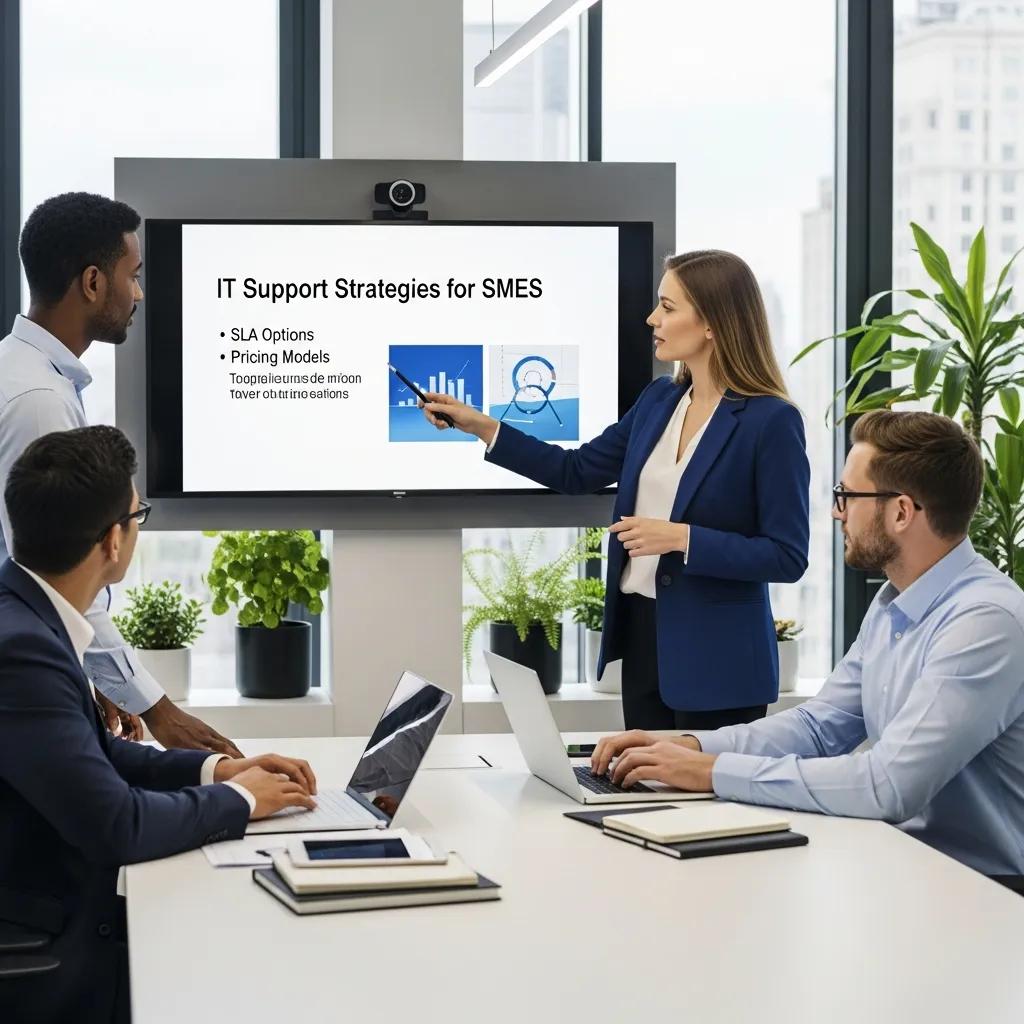
Business professionals collaborating on IT support strategies in a modern office

Comprehensive IT Support SLAs, Pricing Models, and Contract Guide for SMEs and Multi-site Organisations

In the rapidly evolving landscape of IT services, understanding Service Level Agreements (SLAs) and pricing models is crucial for small to medium enterprises (SMEs) and multi-site organizations. This guide delves into the essential components of IT support SLAs, the various pricing models available, and how these elements can be tailored to meet the unique needs of businesses without in-house IT teams. Readers will learn about the significance of SLAs in ensuring service quality, the intricacies of different pricing structures, and best practices for negotiating contracts. By addressing common pain points, this article aims to empower organizations to make informed decisions regarding their IT support needs.

The following sections will cover the importance of SLAs, key components of an SLA template, the impact of SLAs on service quality, various pricing models, and best practices for IT support contracts. Additionally, we will explore how to customize contracts for remote and hybrid workforces, integrating cybersecurity and cloud services, and provide case studies demonstrating effective SLA and pricing strategies.

What Are IT Support SLAs and Why Are They Essential?

IT Support Service Level Agreements (SLAs) are formal contracts that define the expected level of service between a service provider and a client. They outline specific metrics for service delivery, including response times, resolution times, and performance standards. SLAs are essential because they establish clear expectations, ensuring that both parties understand their responsibilities and the consequences of failing to meet agreed-upon standards. This clarity fosters trust and accountability, which are vital for maintaining a productive working relationship.

Moreover, SLAs serve as a benchmark for measuring service quality, allowing clients to hold providers accountable for their performance. By setting these standards, organizations can ensure that they receive the level of support necessary to maintain their operations effectively.

Key Components of an IT Service Level Agreement Template

Close-up of an IT Service Level Agreement template emphasizing clarity and structure

An effective IT Service Level Agreement template should include several key components to ensure clarity and comprehensiveness. These components typically encompass:

  1. Service Description: A detailed outline of the services provided, including support hours and channels.
  2. Performance Metrics: Specific metrics that define acceptable performance levels, such as uptime guarantees and response times.
  3. Responsibilities of Both Parties: Clear delineation of the responsibilities of the service provider and the client, including escalation procedures and communication protocols.

By incorporating these elements, organizations can create SLAs that effectively manage expectations and enhance service delivery.

How SLAs Impact Service Quality and Client Expectations

SLAs significantly impact service quality by establishing measurable standards that service providers must meet. These agreements help ensure that clients receive timely and effective support, which is crucial for maintaining operational efficiency. When clients have clear expectations regarding service delivery, they are more likely to be satisfied with the support they receive.

Furthermore, SLAs contribute to building trust between clients and service providers. When service providers consistently meet or exceed SLA standards, it reinforces their reliability and commitment to quality service. This trust is essential for fostering long-term partnerships and can lead to increased client retention and satisfaction.

How Do Managed IT Services Pricing Models Work?

Managed IT services pricing models are structured to provide flexibility and scalability for businesses. These models typically fall into three main categories: fixed pricing, tiered pricing, and pay-as-you-go pricing. Each model offers distinct advantages and is suited to different business needs.

  • Fixed Pricing Model: This model involves a set fee for a defined set of services, providing predictability in budgeting.
  • Tiered Pricing Model: Clients can choose from different service levels, allowing them to select a package that best fits their needs and budget.
  • Pay-As-You-Go Pricing Model: This model charges clients based on actual usage, making it ideal for businesses with fluctuating IT needs.

Understanding these pricing structures enables organizations to select the model that aligns best with their operational requirements and financial constraints.

The complexity of these models, particularly in the context of cloud services, highlights the need for clear and transparent pricing strategies.

Cloud Service Pricing Models & Frameworks

A major condition for commercial success is a well-defined pricing strategy, however, cloud service providers face many challenges around pricing. Clearness and transparency in pricing is beneficial for all the actors in the ecosystem, where the currently existing abundance of different pricing models makes decision making difficult for service providers, partners, customers and competitors. In this paper, the SBIFT pricing model is evaluated and updated to cloud context. As a result, a 7-dimensional cloud pricing framework is proposed that helps clarifying the possible pricing models in order to let companies differentiate themselves from competitors by price.

Cloud services pricing models, G Laatikainen, 2013

GetUK Support offers tailored IT support solutions that can be customized to fit various pricing models, ensuring that businesses receive the support they need without overspending.

Explaining Fixed, Tiered, and Pay-As-You-Go Pricing Models

Each pricing model has its unique characteristics and benefits, making them suitable for different types of organizations.

  1. Fixed Pricing Model: Definition: A predetermined fee for a specific set of services.Pros: Predictable costs and simplified budgeting.Cons: May not accommodate fluctuating service needs.
  2. Tiered Pricing Model: Definition: Multiple service levels with varying features and costs.Pros: Flexibility to choose a package that fits specific needs.Cons: Complexity in understanding the differences between tiers.
  3. Pay-As-You-Go Pricing Model: Definition: Charges based on actual service usage.Pros: Cost-effective for businesses with variable IT needs.Cons: Unpredictable costs can arise if usage spikes unexpectedly.

By evaluating these models, organizations can make informed decisions that align with their operational and financial goals.

What Does an IT Support Cost Breakdown Look Like?

Understanding the cost breakdown of IT support services is essential for effective budgeting and financial planning. The following table outlines common cost components associated with different pricing models:

ServicePricing ModelCost
Basic IT SupportFixed Pricing£500/month
Advanced IT SupportTiered Pricing£1,000/month
On-Demand SupportPay-As-You-Go£100/hour

This breakdown illustrates how different services and pricing models can impact overall IT support costs, helping organizations to choose the most suitable option for their needs.

How Can IT Support Contracts Be Customized for Remote and Hybrid Workforces?

Remote IT support team collaborating through video conferencing for customized contracts

As remote and hybrid workforces become increasingly common, IT support contracts must be tailored to address the unique challenges these setups present. Customization options may include:

  • Flexible Support Hours: Offering support outside traditional business hours to accommodate remote workers in different time zones.
  • Remote Access Solutions: Ensuring that support teams can access systems remotely to troubleshoot issues efficiently.
  • Enhanced Security Measures: Implementing robust security protocols to protect sensitive data accessed by remote employees.

By customizing contracts to meet the needs of remote and hybrid teams, organizations can ensure that their IT support remains effective and responsive.

Examples of SLA Agreement Customizations for Hybrid Teams

Customizing SLAs for hybrid teams can enhance service delivery and client satisfaction. Some examples of effective customizations include:

  1. Dedicated Support Channels: Establishing specific communication channels for remote employees to ensure quick access to support.
  2. Regular Performance Reviews: Scheduling periodic reviews to assess SLA performance and make necessary adjustments.
  3. Tailored Training Programs: Providing training for remote employees on using IT systems effectively, which can reduce support requests.

These customizations can significantly improve the efficiency of IT support for hybrid teams, ensuring that all employees receive the assistance they need.

Integrating Cyber Security and Cloud Services into IT Support Contracts

As cyber threats continue to evolve, integrating cyber security measures into IT support contracts is essential. This integration can include:

  • Regular Security Audits: Conducting audits to identify vulnerabilities and ensure compliance with security standards.
  • Incident Response Plans: Developing plans to address potential security breaches swiftly and effectively.
  • Cloud Service Management: Offering support for cloud-based services, ensuring that data is secure and accessible.

By incorporating these elements, organizations can enhance their IT support contracts to better protect their assets and data.

However, it’s crucial to acknowledge that outsourcing IT, especially cybersecurity functions, introduces its own set of risks that need careful management.

Managing Cybersecurity Risk in IT Outsourcing

IT outsourcing (ITO) is a major contributor to cybersecurity risk exposure. When organizations outsource IT needs and/or cybersecurity functions, they explicitly or implicitly assume that ITO providers bear the responsibility for cybersecurity risk. In reality, ITO clients’ risk profile changes and becomes a combination of their risks and a subset of their ITO provider risks. This paper discusses cybersecurity risk challenges that are exacerbated in the ITO context and a commonly made argument that ITO client-providertrustcan improve the management of cybersecurity risk.

Cybersecurity risk in IT outsourcing—Challenges and emerging realities, M Benaroch, 2020

What Are Best Practices for IT Support Contracts and Pricing for SMEs and Multi-site Organisations?

To maximize the effectiveness of IT support contracts, SMEs and multi-site organizations should consider the following best practices:

  1. Clearly Define Expectations: Ensure that SLAs outline specific performance metrics and responsibilities.
  2. Regularly Review Contracts: Periodically assess contracts to ensure they remain relevant and effective.
  3. Engage in Open Communication: Foster a collaborative relationship with service providers to address issues proactively.

By adhering to these best practices, organizations can enhance their IT support experience and ensure that their needs are met effectively.

GetUK Support specializes in providing tailored IT support solutions that align with the unique needs of SMEs and multi-site organizations, ensuring that they receive the best possible service.

Case Studies Demonstrating Effective SLA and Pricing Strategies

Examining real-world examples can provide valuable insights into effective SLA and pricing strategies. For instance, a multi-site organization implemented a tiered pricing model that allowed them to scale their IT support as their needs grew. This flexibility enabled them to manage costs effectively while ensuring that all locations received the necessary support.

Another case involved a company that customized its SLA to include enhanced security measures for remote workers. This proactive approach not only improved service delivery but also significantly reduced security incidents.

These case studies highlight the importance of adapting SLAs and pricing models to meet the evolving needs of organizations.

Common IT Support Contract Terms and How to Negotiate Them

Understanding common IT support contract terms is crucial for effective negotiation. Key terms to be aware of include:

  • Service Level Objectives (SLOs): Specific performance targets that the service provider commits to achieving.
  • Termination Clauses: Conditions under which either party can terminate the contract.
  • Liability Limitations: Provisions that limit the service provider’s liability in case of service failures.

By familiarizing themselves with these terms, organizations can negotiate contracts that better protect their interests and ensure satisfactory service delivery.

In conclusion, navigating the complexities of IT support SLAs and pricing models is essential for SMEs and multi-site organizations. By understanding the key components of SLAs, the various pricing structures available, and best practices for contract negotiation, businesses can make informed decisions that enhance their IT support experience.

24/7 Support Operations, Monitoring and Incident Response

IT support team collaborating in a modern office, emphasizing teamwork and technology

24/7 IT Support Services UK: Comprehensive Monitoring and Incident Response Solutions for SMEs

In today’s fast-paced digital landscape, businesses face an array of IT challenges that require constant vigilance and rapid response. 24/7 IT support services are essential for ensuring that organizations can maintain operational continuity and protect their data from cyber threats. This article delves into the mechanisms, benefits, and tools associated with 24/7 support operations, monitoring, and incident response, particularly for small and medium-sized enterprises (SMEs) and multi-site organizations. Readers will learn how continuous IT monitoring safeguards their operations, the technologies that enable effective cyber security monitoring, and the critical steps involved in incident response. By understanding these elements, businesses can better prepare for potential threats and enhance their IT resilience.

What are 24/7 IT Support and Monitoring Services?

24/7 IT support and monitoring services provide round-the-clock assistance and oversight to ensure that IT systems are functioning optimally. These services include proactive monitoring of networks, systems, and applications to detect and resolve issues before they escalate into significant problems. The primary benefit of such services is the minimization of downtime, which can be costly for businesses. By having a dedicated team monitoring systems continuously, organizations can ensure that their IT infrastructure remains secure and efficient.

How does continuous IT monitoring protect SMEs and multi-site organizations?

Network monitoring dashboard on a computer screen, illustrating continuous IT monitoring for cybersecurity

Continuous IT monitoring plays a crucial role in safeguarding SMEs and multi-site organizations from potential threats. By employing proactive threat detection mechanisms, businesses can identify vulnerabilities and respond to incidents swiftly. This approach not only minimizes downtime but also enhances operational efficiency by ensuring that systems are always running at peak performance. Furthermore, continuous monitoring allows organizations to maintain compliance with industry regulations, thereby avoiding potential legal issues.

What tools and technologies enable effective cyber security monitoring?

Effective cyber security monitoring relies on a variety of tools and technologies designed to detect and respond to threats in real-time. These include:

  1. Network Monitoring Tools: These tools analyze network traffic to identify unusual patterns that may indicate a security breach.
  2. Intrusion Detection Systems (IDS): IDS solutions monitor network traffic for suspicious activity and alert administrators to potential threats.
  3. Security Information and Event Management (SIEM): SIEM systems aggregate and analyze security data from across the organization to provide a comprehensive view of the security landscape.

Research further emphasizes the critical role of Security Information and Event Management (SIEM) systems in bolstering cybersecurity for small and medium-sized enterprises.

SIEM Solutions for SME Cybersecurity Monitoring & Response

Small and Medium Enterprises (SMEs), which are the backbone of the global economy are particularly vulnerable to these threats due to inadequate protection for critical and sensitive information, budgetary constraints, and lack of cybersecurity expertise and personnel. Security Information and Event Management (SIEM) systems have emerged as pivotal tools for monitoring, detecting, and responding to security incidents.

Cybersecurity on a budget: Evaluating security and performance of open-source SIEM solutions for SMEs, J Manzoor, 2024

Further studies highlight how integrating AI with SIEM solutions can significantly enhance real-time threat detection and mitigation capabilities for SMEs.

AI & SIEM Integration for Real-time SME Threat Detection

Small and medium-sized businesses are increasingly vulnerable to cyber threats due to their limited resources and expertise in cybersecurity. This conference paper investigates the integration of Security Information and Event Management (SIEM) systems and Artificial Intelligence (AI) solutions as a comprehensive approach to enhance their ability to detect threats and mitigate them. SIEM systems centralize data collection, analysis, and incident management, enabling organizations to detect complex security threats in real time.

Enhancing Cybersecurity for SMEs: Integrating AI and SIEM Solutions for Threat Detection and Mitigation, 2025

By leveraging these technologies, organizations can enhance their ability to detect and respond to cyber threats effectively.

How Does Incident Response Work in Managed IT Services?

Incident response in managed IT services involves a structured approach to addressing and managing the aftermath of a security breach or cyber attack. The process typically includes several key steps, such as preparation, detection, analysis, containment, eradication, and recovery. Each step is critical to ensuring that the organization can respond effectively and minimize the impact of the incident.

What are the key steps in an incident response process?

The key steps in an incident response process include:

  1. Preparation: Establishing an incident response plan and training staff on their roles.
  2. Detection and Analysis: Identifying potential incidents through monitoring and analysis of security data.
  3. Containment, Eradication, and Recovery: Implementing measures to contain the incident, remove the threat, and restore systems to normal operation.

These steps are essential for ensuring a swift and effective response to security incidents.

How do incident response teams mitigate cyber security threats?

Incident response team strategizing in a conference room, focusing on cybersecurity threat mitigation

Incident response teams play a vital role in mitigating cyber security threats by conducting thorough threat assessments and implementing response strategies. They analyze the nature of the threat, determine its impact, and develop a plan to address it. Post-incident analysis is also crucial, as it helps organizations learn from the incident and improve their security posture moving forward.

What Cloud Infrastructure Management Solutions Support Remote IT Support?

Cloud infrastructure management solutions are essential for supporting remote IT support operations. These solutions enable organizations to manage their IT resources effectively, regardless of location. Key components include:

  • Cloud Management Tools: These tools facilitate the monitoring and management of cloud resources, ensuring optimal performance and security.
  • Remote Desktop Solutions: Allow IT teams to access and troubleshoot systems remotely, providing timely support to users.
  • Backup and Recovery Solutions: Ensure that data is securely backed up and can be restored quickly in the event of an incident.

By utilizing these solutions, organizations can enhance their remote IT support capabilities and ensure business continuity.

How does cloud security monitoring enhance IT resilience?

Cloud security monitoring enhances IT resilience by providing continuous oversight of cloud environments. This proactive approach allows organizations to identify and address potential security issues before they escalate. Key benefits include:

  • Continuous Monitoring: Ensures that any anomalies are detected and addressed promptly.
  • Risk Management: Helps organizations assess and mitigate risks associated with cloud services.
  • Compliance: Assists in maintaining compliance with industry regulations and standards.

These factors contribute to a more resilient IT infrastructure capable of withstanding cyber threats.

What are best practices for managing cloud services in SMEs?

Managing cloud services effectively is crucial for SMEs to maximize their benefits while minimizing risks. Best practices include:

  1. Cost Management: Regularly review cloud usage to optimize costs and avoid unnecessary expenses.
  2. Security Practices: Implement robust security measures, including encryption and access controls, to protect sensitive data.
  3. Performance Monitoring: Continuously monitor cloud performance to ensure that services meet organizational needs.

By following these best practices, SMEs can enhance their cloud service management and overall IT resilience.

Why Choose GetUK Support for IT Support and Incident Management Solutions?

GetUK Support is a UK-based IT service provider specializing in 24/7 support operations, monitoring, and incident response tailored for SMEs, multi-site organizations, and businesses lacking in-house IT teams. Choosing GetUK Support means benefiting from tailored solutions designed to meet the unique needs of your business. Their expertise in IT support ensures that your organization can navigate the complexities of modern IT challenges effectively.

How do tailored 24/7 support operations benefit your business?

Tailored 24/7 support operations provide several advantages for businesses, including:

  • Customization of Services: Solutions are designed to fit the specific needs of your organization.
  • Improved Response Times: Rapid response to incidents minimizes potential downtime.
  • Enhanced Client Satisfaction: Reliable support fosters trust and satisfaction among clients.

These benefits contribute to a more efficient and effective IT environment.

What client success stories demonstrate effective incident response?

Client success stories highlight the effectiveness of incident response strategies in real-world scenarios. For instance, organizations that have implemented GetUK Support’s incident response solutions have reported significant reductions in downtime and improved recovery times following incidents. These case studies serve as a testament to the value of having a dedicated IT support partner.

StrategyMechanismBenefitImpact Level
Proactive MonitoringContinuous oversight of systemsEarly threat detectionHigh
Incident Response PlanningStructured response to incidentsMinimized impactHigh
Cloud Security SolutionsProtection of cloud environmentsEnhanced resilienceMedium

IT Strategy, Roadmaps and Technology Planning Guide

Business professionals collaborating on IT strategy in a modern office setting

IT Strategy, Roadmaps and Technology Planning Guide: Essential Frameworks and Processes for SMEs

In the rapidly evolving landscape of technology, having a robust IT strategy is essential for businesses aiming to thrive. This guide delves into the frameworks and processes that underpin effective IT strategy, roadmaps, and technology planning, specifically tailored for small and medium enterprises (SMEs). Readers will learn about the critical components of IT strategy, how these strategies align with business objectives, and the steps necessary to develop a comprehensive technology planning process. Many organizations struggle with aligning their IT capabilities with their business goals, leading to inefficiencies and missed opportunities. This article provides actionable insights and frameworks to bridge that gap, ensuring that technology serves as a catalyst for growth. Key sections include defining IT strategy, developing technology roadmaps, and integrating cybersecurity measures.

What is an IT Strategy Framework and Why is it Crucial for Business Growth?

An IT strategy framework is a structured approach that outlines how technology can support and drive business objectives. It serves as a blueprint for aligning IT initiatives with organizational goals, ensuring that technology investments yield maximum value. The importance of such frameworks lies in their ability to provide clarity and direction, enabling businesses to navigate the complexities of technology adoption and integration. By establishing a clear IT strategy, organizations can enhance operational efficiency, improve decision-making, and foster innovation, ultimately leading to sustainable growth.

Further emphasizing the practical application and benefits for smaller organizations, research highlights the specific design and value of IT strategy frameworks tailored for SMEs.

IT Strategy Framework for SMEs: Development & Business Value

We design and evaluate an IT strategy development framework for small and medium enterprises (SMEs). The framework’s objective is to provide a theoretically grounded, empirically validated, uncomplicated, and accessible framework to develop an IT strategy for an SME. The framework is a social artifact whose purpose is to guide the design of two other artifacts: an IT strategy process and an IT strategy plan. People responsible for managing the IT in an SME can use the framework to design or refine their IT strategy, in order to make better-informed IT strategy decisions, to improve the utilization of their SME’s usually scarce IT resources, and ultimately increase their IT’s business value contribution.

An IT strategy development framework for small and medium enterprises, A Drechsler, 2018

Defining IT Strategy and Its Core Components

IT strategy encompasses a set of plans and actions that guide an organization’s technology investments and initiatives. The core components of an effective IT strategy include governance, resource allocation, risk management, and performance measurement. Governance ensures that IT decisions align with business objectives, while resource allocation focuses on optimizing technology investments. Risk management identifies potential threats to IT systems, and performance measurement evaluates the effectiveness of IT initiatives. Together, these components create a cohesive strategy that supports business operations and drives growth.

How IT Strategy Supports Business Objectives and Growth

An effective IT strategy aligns closely with business objectives, ensuring that technology initiatives support overall organizational goals. This alignment can lead to improved operational efficiency, enhanced customer experiences, and increased competitiveness. For instance, businesses that leverage data analytics can gain insights into customer behavior, enabling them to tailor their offerings and improve satisfaction. Additionally, a well-defined IT strategy can facilitate innovation by providing the necessary infrastructure and resources to explore new technologies. By integrating IT strategy with business objectives, organizations can achieve significant growth and adaptability in a dynamic market.

GetUK Support is a UK-based IT service provider specializing in delivering comprehensive IT strategy, roadmaps, and technology planning solutions tailored for growing SMEs, multi-site organizations, and professional service firms. Their expertise ensures that businesses can effectively align their technology initiatives with strategic goals, fostering growth and innovation.

How to Develop a Technology Planning Process for Effective Roadmaps?

Business professional outlining technology planning process on a whiteboard

Developing a technology planning process involves several key steps that ensure the creation of effective roadmaps. First, organizations should assess their current technology landscape to identify strengths and weaknesses. Next, they should define clear objectives that align with business goals. Following this, a comprehensive analysis of available technologies and trends is essential to inform decision-making. Finally, organizations should establish a timeline and allocate resources for implementation. By following these steps, businesses can create technology roadmaps that guide their IT initiatives and support long-term success.

Step-by-Step Guide to Creating a Technology Roadmap

Creating a technology roadmap requires a systematic approach to ensure all critical elements are addressed. Here’s a step-by-step guide:

  1. Define Objectives: Clearly outline the goals of the technology roadmap, ensuring they align with business objectives.
  2. Assess Current State: Evaluate existing technologies and processes to identify gaps and opportunities for improvement.
  3. Identify Key Initiatives: Determine the technology initiatives that will drive the desired outcomes.
  4. Establish Timelines: Create a timeline for implementation, including milestones and deadlines.
  5. Allocate Resources: Identify the resources required for each initiative, including budget, personnel, and technology.

By following this structured approach, organizations can develop a comprehensive technology roadmap that effectively guides their IT strategy.

Key Deliverables and Milestones in Technology Planning

In technology planning, several key deliverables and milestones are essential for tracking progress and ensuring successful implementation. These include:

  • Technology Assessment Report: A comprehensive analysis of current technologies and their effectiveness.
  • Roadmap Document: A detailed plan outlining the technology initiatives, timelines, and resource allocations.
  • Implementation Plan: A step-by-step guide for executing the technology roadmap, including roles and responsibilities.
  • Performance Metrics: Defined metrics to measure the success of technology initiatives and their alignment with business objectives.

These deliverables provide a framework for organizations to monitor their technology planning efforts and make necessary adjustments.

DeliverableDescriptionImportance
Technology Assessment ReportAnalyzes current technologiesIdentifies gaps and opportunities
Roadmap DocumentOutlines initiatives and timelinesGuides implementation efforts
Implementation PlanDetails execution stepsEnsures accountability and clarity
Performance MetricsMeasures success of initiativesTracks alignment with business goals

This table highlights the critical deliverables in technology planning, emphasizing their role in ensuring successful outcomes.

What are the Essential Elements of a Cyber Security Roadmap?

Cybersecurity expert analyzing data in a high-tech environment

A cyber security roadmap is vital for protecting an organization’s information assets. Essential elements of a cyber security roadmap include risk assessment, policy development, incident response planning, and employee training. Risk assessment identifies potential vulnerabilities and threats, while policy development establishes guidelines for data protection. Incident response planning prepares organizations to respond effectively to security breaches, and employee training ensures that staff are aware of security protocols. Together, these elements create a comprehensive approach to cyber security that safeguards organizational assets.

Understanding Cyber Security Frameworks and Risk Management

Cyber security frameworks provide structured guidelines for managing security risks and protecting information systems. These frameworks, such as the NIST Cybersecurity Framework and ISO/IEC 27001, offer best practices for identifying, assessing, and mitigating risks. Effective risk management involves continuous monitoring and assessment of security threats, ensuring that organizations can adapt to evolving cyber threats. By implementing a robust cyber security framework, organizations can enhance their security posture and reduce the likelihood of data breaches.

Integrating Cyber Security into IT Strategy and Roadmaps

Integrating cyber security into IT strategy is crucial for ensuring that security considerations are embedded in all technology initiatives. This integration involves aligning security policies with business objectives and ensuring that security measures are included in technology roadmaps. By prioritizing cyber security, organizations can protect their data and systems while pursuing innovation and growth. This proactive approach not only mitigates risks but also builds trust with customers and stakeholders.

How to Implement a Cloud Adoption Strategy within Your IT Roadmap?

Implementing a cloud adoption strategy involves several key steps that ensure a smooth transition to cloud-based services. First, organizations should assess their current IT infrastructure to determine which applications and services are suitable for the cloud. Next, they should define clear objectives for cloud adoption, such as cost savings or improved scalability. Following this, a detailed migration plan should be developed, outlining the steps for transitioning to cloud services. Finally, organizations should establish governance and management practices to ensure effective cloud utilization. By following these steps, businesses can successfully integrate cloud services into their IT strategy.

Phases of Cloud Migration and Adoption Planning

Cloud migration involves several distinct phases that organizations must navigate to ensure a successful transition. These phases include:

  1. Assessment: Evaluate current infrastructure and identify applications suitable for migration.
  2. Planning: Develop a detailed migration plan, including timelines and resource allocations.
  3. Migration: Execute the migration plan, transitioning applications and data to the cloud.
  4. Optimization: Continuously monitor and optimize cloud services to ensure they meet business needs.

By understanding these phases, organizations can effectively manage their cloud adoption efforts and maximize the benefits of cloud technology.

Aligning Cloud Services with Business and IT Goals

Aligning cloud services with business and IT goals is essential for maximizing the value of cloud investments. This alignment involves ensuring that cloud initiatives support overall business objectives, such as improving operational efficiency or enhancing customer experiences. Organizations should regularly review their cloud strategy to ensure it remains aligned with changing business needs and market conditions. By maintaining this alignment, businesses can leverage cloud technology to drive growth and innovation.

Enterprise Managed IT Support and SLA Management

IT support team collaborating in a modern office, emphasizing enterprise managed IT solutions

Enterprise Managed IT Support and SLA Management: Comprehensive Solutions for UK SMEs and Multi-Site Businesses

In today’s fast-paced digital landscape, businesses face increasing challenges in managing their IT infrastructure effectively. Enterprise managed IT support services provide a strategic solution, ensuring that organizations can focus on their core operations while experts handle their technology needs. This article delves into the various aspects of enterprise managed IT support and SLA management, highlighting their importance for UK SMEs and multi-site businesses. Readers will learn about the benefits of these services, how they support growth, and the critical components of service level agreements (SLAs). By understanding these elements, businesses can make informed decisions to enhance their IT capabilities and ensure reliable service delivery.

What Are Enterprise Managed IT Support Services and Their Benefits?

Enterprise managed IT support services encompass a range of solutions designed to manage and optimize an organization’s IT infrastructure. These services include proactive monitoring, maintenance, and support, ensuring that systems run smoothly and efficiently. The primary benefit of these services is the reduction of downtime, which can significantly impact productivity and revenue. Additionally, managed IT support allows businesses to leverage the expertise of IT professionals without the need for in-house staff, making it a cost-effective solution for many SMEs.

The tailored nature of these services means they can be adapted to meet the specific needs of different organizations. For instance, multi-site businesses can benefit from centralized management, ensuring consistent IT support across all locations. This comprehensive approach not only enhances operational efficiency but also improves overall business performance.

How Do Managed IT Services in the UK Support Growing SMEs?

Business owner consulting with IT service provider, highlighting support for growing SMEs

Managed IT services play a crucial role in supporting the growth of SMEs in the UK. By providing scalable solutions, these services allow businesses to adapt their IT infrastructure as they expand. This flexibility is essential for SMEs that may experience rapid growth or fluctuations in demand. Managed IT services also offer access to the latest technologies and innovations, enabling businesses to stay competitive in their respective markets.

Furthermore, these services often include tailored solutions that address the unique challenges faced by SMEs. For example, GetUK Support specializes in delivering comprehensive managed IT support and SLA management services tailored for growing SMEs, multi-site organizations, and professional service firms. This focus on customization ensures that businesses receive the support they need to thrive.

What Advantages Do Multi-Site Businesses Gain from Enterprise Network Support?

Multi-site businesses face distinct challenges in managing their IT infrastructure, including ensuring consistent service delivery and maintaining security across various locations. Enterprise network support provides several advantages, including centralized management, which simplifies the oversight of IT operations. This centralized approach allows for streamlined communication and collaboration among different sites, enhancing overall efficiency.

Additionally, enterprise network support can improve data security by implementing uniform security protocols across all locations. This consistency helps protect sensitive information and reduces the risk of data breaches. By leveraging enterprise network support, multi-site businesses can ensure that their IT infrastructure is robust, secure, and capable of supporting their operational needs.

How Does SLA Management Software Enhance IT Support Reliability?

SLA management software is a critical tool for enhancing the reliability of IT support services. By defining clear expectations and performance metrics, SLAs help ensure that service providers meet their commitments. This software allows organizations to monitor compliance with SLA terms, providing valuable insights into service performance.

The use of SLA management software also facilitates better communication between service providers and clients. By establishing clear guidelines and expectations, businesses can address issues proactively, minimizing disruptions to their operations. This proactive approach not only enhances service reliability but also fosters a stronger partnership between clients and service providers.

What Are Key SLA Components and Terms in IT Support Agreements?

Understanding the key components and terms of SLAs is essential for businesses seeking to establish effective IT support agreements. Some of the critical elements include:

  • Service Level Objectives (SLOs): These are specific performance targets that the service provider agrees to meet, such as response times and resolution times.
  • Availability: This term defines the expected uptime of services, ensuring that businesses can rely on their IT systems to be operational when needed.
  • Support Hours: This specifies the hours during which support services are available, allowing businesses to plan their operations accordingly.

By comprehending these components, organizations can negotiate SLAs that align with their operational needs and ensure they receive the level of service required for success.

SLA ComponentDescriptionImportance
Service Level Objectives (SLOs)Specific performance targets agreed upon by both partiesEnsures accountability and clarity
AvailabilityExpected uptime of servicesCritical for operational reliability
Support HoursHours during which support is availableHelps businesses plan effectively

This table illustrates the essential components of SLAs and their significance in establishing effective IT support agreements.

How Does SLA Monitoring Improve Service Performance and Client Satisfaction?

SLA monitoring is vital for improving service performance and enhancing client satisfaction. By continuously tracking compliance with SLA terms, organizations can identify areas for improvement and address potential issues before they escalate. This proactive approach not only helps maintain high service standards but also fosters trust between clients and service providers.

Moreover, effective SLA monitoring allows businesses to gather valuable data on service performance. This data can be used to refine processes, optimize resource allocation, and enhance overall service delivery. As a result, clients experience improved satisfaction, knowing that their IT support is being managed effectively and efficiently.

What Cyber Security Managed Services Are Included in Enterprise IT Support?

Cybersecurity expert monitoring security systems in a high-tech operations center

Cyber security is a critical component of enterprise IT support, especially in today’s digital landscape where threats are constantly evolving. Managed IT support services typically include a range of cyber security solutions designed to protect organizations from potential threats. These services may encompass:

  • Threat Detection and Response: Proactive monitoring for potential security breaches and rapid response to incidents.
  • Data Encryption: Protecting sensitive information through encryption to prevent unauthorized access.
  • Regular Security Audits: Conducting assessments to identify vulnerabilities and ensure compliance with industry standards.

By integrating these cyber security managed services into their IT support, organizations can significantly reduce their risk of data breaches and enhance their overall security posture.

How Do Cyber Security Solutions Protect Hybrid and Remote Workforces?

As more organizations adopt hybrid and remote work models, the need for robust cyber security solutions has become increasingly important. Cyber security solutions designed for hybrid and remote workforces focus on securing endpoints, ensuring that employees can work safely from any location. Key strategies include:

  • Endpoint Protection: Implementing security measures on devices used by remote employees to prevent unauthorized access.
  • Secure Access: Utilizing virtual private networks (VPNs) and multi-factor authentication to ensure secure connections to company resources.
  • Employee Training: Providing training on best practices for cyber security to empower employees to recognize and respond to potential threats.

These strategies help organizations maintain a secure working environment, regardless of where their employees are located.

What Are Current UK Cyber Security Compliance Trends for SMEs?

In the UK, SMEs are increasingly recognizing the importance of cyber security compliance to protect their businesses and customer data. Current trends include:

  • Adoption of GDPR: Many SMEs are implementing measures to comply with the General Data Protection Regulation (GDPR), which mandates strict data protection standards.
  • Investment in Cyber Insurance: To mitigate risks, SMEs are increasingly investing in cyber insurance policies that provide coverage in the event of a data breach.
  • Focus on Employee Training: Organizations are prioritizing employee training programs to ensure that staff are aware of cyber security best practices and potential threats.

By staying informed about these trends, SMEs can better prepare for compliance requirements and enhance their overall security posture.

The growing threat landscape for UK SMEs underscores the critical need for robust cybersecurity measures and compliance.

UK SME Cybersecurity: Threats & Best Practices

The 5.7 million small to medium enterprises (SMEs) in the U.K. play a vital role in the national economy, contributing 51% of the private sector. However, the cyber threats for SMEs are increasing with four in ten of businesses experiencing a cyber attack in the last twelve months. One significant treatment of this growing concern is in the implementation of long-established information security standards and best-practices.

Defining a new composite cybersecurity rating scheme for smes in the uk, 2019

How Do Cloud Services Integrate with Managed IT Support for SMEs?

Cloud services play a pivotal role in enhancing managed IT support for SMEs. By leveraging cloud technology, businesses can access scalable resources and services that align with their operational needs. Key benefits of cloud integration include:

  • Scalability: Cloud services allow SMEs to easily scale their IT resources up or down based on demand, ensuring they only pay for what they use.
  • Cost Efficiency: By utilizing cloud solutions, businesses can reduce the costs associated with maintaining on-premises infrastructure.
  • Enhanced Collaboration: Cloud-based tools facilitate collaboration among teams, regardless of their physical location, improving overall productivity.

The integration of cloud services with managed IT support enables SMEs to optimize their IT operations and drive business growth.

What Are Cloud-Native Managed Services and Their Benefits?

Cloud-native managed services are designed specifically to operate in cloud environments, offering several advantages for businesses. These services leverage the inherent capabilities of cloud technology to deliver enhanced performance and flexibility. Key benefits include:

  • Optimized Resource Utilization: Cloud-native services can automatically scale resources based on demand, ensuring optimal performance.
  • Improved Resilience: These services are built to withstand failures, providing high availability and reliability.
  • Faster Deployment: Cloud-native solutions can be deployed quickly, allowing businesses to respond to changing market conditions more effectively.

By adopting cloud-native managed services, organizations can enhance their operational efficiency and agility.

How Do Cloud Solutions Support Hybrid Workforce IT Management?

Cloud solutions are essential for managing hybrid workforces effectively. They provide the necessary tools and infrastructure to support employees working from various locations. Key aspects of cloud solutions for hybrid workforce management include:

  • Centralized Management: Cloud platforms enable IT teams to manage resources and applications from a single interface, simplifying oversight.
  • Remote Access: Employees can access company resources securely from any location, ensuring continuity of operations.
  • Collaboration Tools: Cloud-based collaboration tools facilitate communication and teamwork among remote and on-site employees.

These features make cloud solutions indispensable for organizations looking to support a hybrid workforce effectively.