Managed SOC, Monitoring and Threat Hunting Services

Cybersecurity operations center with professionals monitoring security data

Managed SOC, Monitoring and Threat Hunting Services: Comprehensive Security Solutions for SMEs

In an era where cyber threats are increasingly sophisticated, small and medium enterprises (SMEs) face significant challenges in safeguarding their digital assets. Managed Security Operations Center (SOC) services provide a robust solution by offering continuous monitoring, threat detection, and incident response capabilities. This article delves into the essential components of managed SOC services, including their role in cybersecurity, the benefits of outsourcing these services, and how threat hunting enhances overall security posture. Readers will gain insights into the features of 24×7 security monitoring, the importance of threat intelligence, and the cost-effectiveness of tailored SOC solutions. By understanding these elements, SMEs can make informed decisions about their cybersecurity strategies.

Indeed, adapting and innovating service management practices is crucial for SMEs navigating today’s complex and uncertain business landscape.

Service Management Framework for SMEs in VUCA Environments

Small and Medium-sized Enterprises (SMEs) are currently immersed in Volatility, Uncertainty, Complexity and Ambiguity (VUCA) environments and need to adapt and innovate both their services and their management practices and processes. Unfortunately, models and standards for service management are focused on large organisations, therefore, their application in SMEs is expensive and, generally, unfeasible. In order to contribute to the sustained success and development of SMEs, this paper presents a framework for service management evaluation. The objective of this framework, which is based on international standards and the main models for service management, is to be a roadmap containing well-defined and formalised processes that helps SMEs to improve the quality of their customer services. The proposal is validated in this work by means of its application to a real case study.

Towards a lightweight framework for service management evaluation in SMEs, DP Feversani, 2023

What Are Managed Security Operations Center Services?

Managed Security Operations Center (SOC) services are comprehensive cybersecurity solutions designed to monitor, detect, and respond to security incidents in real-time. These services are crucial for SMEs that may lack the resources to maintain an in-house security team. A managed SOC operates around the clock, utilizing advanced technologies and skilled personnel to protect organizations from cyber threats. By outsourcing these services, businesses can focus on their core operations while ensuring their digital environments are secure.

GetUK Support specializes in providing managed SOC services tailored to the unique needs of SMEs. Their offerings include continuous monitoring, threat detection, and incident response, ensuring that businesses can effectively mitigate risks and respond to incidents promptly.

Understanding the Role of a Managed SOC in Cybersecurity

A managed SOC plays a pivotal role in enhancing an organization’s cybersecurity posture. It serves as a centralized hub for monitoring security events, analyzing threats, and coordinating incident response efforts. By leveraging advanced tools and technologies, a managed SOC can identify potential vulnerabilities and respond to incidents before they escalate into significant breaches. This proactive approach not only protects sensitive data but also helps organizations comply with regulatory requirements.

Key Features of 24x7 Security Monitoring and Incident Response

24×7 security monitoring and incident response are fundamental components of managed SOC services. These features ensure that organizations are continuously protected against evolving cyber threats. Key aspects include:

FeatureDescriptionBenefit
Continuous MonitoringReal-time surveillance of network traffic and security eventsImmediate detection of threats
Incident Response ProtocolsEstablished procedures for responding to security incidentsSwift mitigation of potential damage
Real-Time Threat DetectionUse of advanced analytics to identify anomaliesEnhanced ability to prevent breaches

These features collectively enhance an organization’s ability to respond to threats effectively and maintain a secure environment.

How Does Threat Hunting Enhance Cyber Threat Detection?

Cybersecurity expert analyzing data for threat detection

Threat hunting is a proactive cybersecurity practice that involves actively searching for signs of malicious activity within an organization’s network. Unlike traditional security measures that rely on automated alerts, threat hunting focuses on identifying hidden threats that may evade detection. This approach enhances overall security by allowing organizations to uncover vulnerabilities before they can be exploited.

Proactive Threat Hunting Techniques for Early Incident Identification

Effective threat hunting involves various techniques that help identify potential security incidents early. Some common methods include:

  1. Behavioral Analysis: Monitoring user and entity behavior to detect anomalies.
  2. Threat Intelligence Integration: Utilizing external threat data to inform hunting efforts.
  3. Log Analysis: Reviewing system logs for unusual patterns or activities.

These techniques enable organizations to stay ahead of potential threats and strengthen their security posture.

Integrating Cyber Threat Intelligence to Improve Detection Accuracy

Cyber threat intelligence (CTI) plays a crucial role in enhancing the effectiveness of managed SOC services. By integrating CTI into their operations, SOC teams can gain valuable insights into emerging threats and vulnerabilities. This information allows for more accurate detection and response strategies, ultimately improving an organization’s overall security posture.

What Are the Benefits of Outsourcing Managed Security Monitoring?

Outsourcing managed security monitoring offers several advantages for SMEs, including:

  1. Cost Savings: Reduces the need for in-house security personnel and infrastructure.
  2. Access to Expertise: Leverages the knowledge and skills of experienced cybersecurity professionals.
  3. Focus on Core Business: Allows organizations to concentrate on their primary operations without the distraction of managing security.

By partnering with a managed SOC provider like GetUK Support, businesses can enhance their security while optimizing resources.

However, it is important for organizations to understand that outsourcing IT and cybersecurity functions also introduces new dimensions of risk that require careful management.

Cybersecurity Risk in IT Outsourcing

IT outsourcing (ITO) is a major contributor to cybersecurity risk exposure. When organizations outsource IT needs and/or cybersecurity functions, they explicitly or implicitly assume that ITO providers bear the responsibility for cybersecurity risk. In reality, ITO clients’ risk profile changes and becomes a combination of their risks and a subset of their ITO provider risks. This paper discusses cybersecurity risk challenges that are exacerbated in the ITO context and a commonly made argument that ITO client-provider trust can improve the management of cybersecurity risk.

Cybersecurity risk in IT outsourcing—

Challenges and emerging realities, M Benaroch, 2020

Tailored SOC Solutions for SMEs and Multi-Site Organizations

Tailored SOC solutions are essential for addressing the unique needs of SMEs and multi-site organizations. These customized services ensure that security measures align with specific business requirements, providing a more effective defense against cyber threats. GetUK Support offers flexible SOC solutions that can scale with an organization’s growth, ensuring continuous protection as business needs evolve.

Cost-Effectiveness and Access to Expert Cybersecurity Teams

One of the primary benefits of managed SOC services is their cost-effectiveness. By outsourcing security operations, SMEs can access a team of cybersecurity experts without the overhead costs associated with hiring full-time staff. This model not only saves money but also provides organizations with the latest security technologies and practices, ensuring they remain competitive in an increasingly digital landscape.

How Does SIEM Integration Support Incident Response Services?

SIEM dashboard displaying real-time security alerts and analytics

Security Information and Event Management (SIEM) systems are integral to the functioning of managed SOC services. SIEM platforms collect and analyze security data from across an organization, providing valuable insights into potential threats. By integrating SIEM with incident response services, organizations can enhance their ability to detect and respond to security incidents effectively.

Role of Security Information and Event Management in SOC Operations

SIEM plays a critical role in SOC operations by centralizing security data and enabling real-time analysis. This technology allows SOC teams to correlate events from various sources, identify patterns, and respond to incidents more efficiently. As cyber threats continue to evolve, the importance of SIEM in maintaining a robust security posture cannot be overstated.

The integration of SIEM systems within Security Operations Centers is vital for comprehensive intranet security management, enabling real-time evaluation of security incidents.

SIEM Systems & SOCs for Intranet Security Management

An integrated system to manage organizations’ intranet security is required as never before. The data collected and analyzed within this system should be evaluated online from a viewpoint of any information security (IS) incident to find its source, consider its type, weight its consequences, visualize its vector, associate all target systems, prioritize countermeasures and offer mitigation solutions with weighted impact relevance. The brief analysis of a concept and evolution of Security Information and Event Management (SIEM) systems and their usage in Security Operations Centers and Security Intelligence Centers for intranet’s IS management are presented.

Analysis of siem systems and their usage in security operations and security intelligence centers, N Miloslavskaya, 2017

Compliance and Reporting Advantages with SIEM Platforms

Utilizing SIEM platforms not only enhances security but also provides compliance and reporting advantages. Many industries have strict regulatory requirements regarding data protection and incident reporting. SIEM systems facilitate compliance by automating data collection and reporting processes, ensuring organizations can meet their legal obligations while maintaining a secure environment.

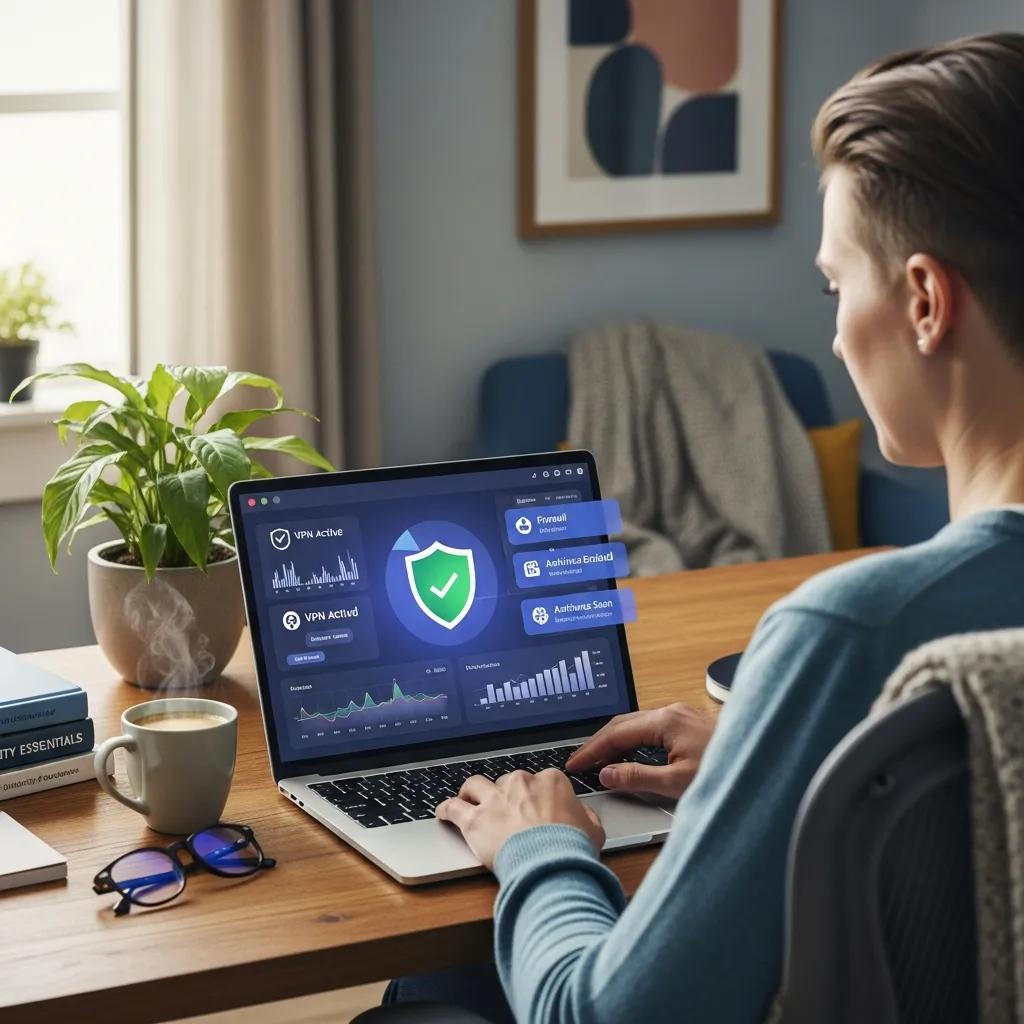
Endpoint Protection, MDM and Device Management Services

Modern office with employees using secure corporate devices, emphasizing endpoint protection and mobile device management

Comprehensive Endpoint Protection and Mobile Device Management Solutions for Secure Corporate Device Security

In an increasingly digital world, the security of corporate devices is paramount. Endpoint protection and mobile device management (MDM) services are essential for safeguarding sensitive information and ensuring compliance with regulatory standards. This article delves into the key benefits of these solutions, particularly for small and medium enterprises (SMEs), and explores how they enhance security for remote and hybrid workforces. Readers will learn about the operational advantages of managed device security, the role of endpoint detection and response (EDR) in cybersecurity, and best practices for integrating cloud security with device management. By understanding these concepts, organizations can better protect their assets and streamline their IT operations.

What are the key benefits of Endpoint Protection and Mobile Device Management for SMEs?

Endpoint protection and MDM services offer several critical advantages for SMEs, enhancing their overall security posture and operational efficiency. These solutions help organizations manage and secure devices, ensuring that sensitive data remains protected from cyber threats.

  1. Improved Security Posture: By implementing endpoint protection, SMEs can defend against malware, ransomware, and other cyber threats, significantly reducing the risk of data breaches.
  2. Cost Savings on IT Management: MDM solutions streamline device management, reducing the need for extensive in-house IT support and allowing organizations to allocate resources more effectively.
  3. Enhanced Compliance with Regulations: These services help SMEs adhere to industry regulations by ensuring that devices meet security standards and that sensitive data is handled appropriately.

GetUK Support specializes in providing tailored endpoint protection and MDM services designed specifically for SMEs, multi-site organizations, and professional service firms.

How do these solutions enhance security for remote and hybrid workforces?

Remote worker in a secure home office, illustrating the importance of endpoint protection for hybrid workforces

As remote and hybrid workforces become more prevalent, the need for robust security measures has never been greater. Endpoint protection and MDM solutions play a vital role in securing these environments by providing centralized management and monitoring capabilities.

  1. Protection Against Cyber Threats: These solutions offer real-time threat detection and response, ensuring that devices are protected from potential attacks.
  2. Management of Devices from a Central Location: IT teams can manage and secure devices remotely, simplifying the process of maintaining security across various locations.
  3. Support for Remote Access Security: By implementing secure access protocols, organizations can ensure that employees can work safely from any location without compromising sensitive data.

What cost and operational advantages do SMEs gain from managed device security?

Managed device security provides SMEs with significant financial and operational benefits, allowing them to focus on their core business activities while ensuring their devices are secure.

  1. Reduced Need for In-House IT Staff: By outsourcing device management, SMEs can minimize their reliance on in-house IT personnel, leading to cost savings.
  2. Predictable Budgeting for IT Expenses: Managed services often come with fixed pricing models, allowing organizations to better forecast their IT expenditures.
  3. Increased Operational Efficiency: With streamlined device management processes, SMEs can enhance productivity and reduce downtime caused by security incidents.

How does Endpoint Detection and Response improve cybersecurity for corporate devices?

Endpoint Detection and Response (EDR) is a critical component of modern cybersecurity strategies, providing organizations with advanced tools to detect and respond to threats.

EDR enhances cybersecurity by offering:

  1. Real-Time Threat Detection: EDR solutions continuously monitor endpoint activity, allowing for the rapid identification of potential threats.
  2. Automated Response to Incidents: These systems can automatically respond to detected threats, minimizing the impact of security incidents.
  3. Comprehensive Visibility into Endpoint Activity: EDR provides detailed insights into endpoint behavior, enabling organizations to understand and mitigate risks effectively.

Further emphasizing the critical role of EDR, recent research highlights its effectiveness in combating the dynamic landscape of modern cyber threats.

EDR Solutions: Combating Modern Cyber Threats

The rapid evolution of cyber threats has necessitated the adoption of advanced security technologies to protect organizations’ digital assets. Endpoint Detection and Response (EDR) solutions have emerged as critical components of modern cybersecurity frameworks. EDR systems offer capabilities such as real-time monitoring, threat detection, automated response mechanisms, and forensic analysis, making them essential for combating complex cyber threats like ransomware, advanced persistent threats (APTs), and zero-day exploits. This paper explores the effectiveness of EDR solutions in addressing the dynamic landscape of cyber risks. It begins with an overview of modern cyber threats and the challenges they present to traditional security measures. The discussion then delves into the operational framework of EDR solutions, highlighting key features such as continuous endpoint monitoring, behavioral analysis, and integration with other security systems. Furthermore, the paper

Effectiveness of endpoint detection and response solutions in combating modern cyber threats, 2024

What role does threat detection and device compliance play in EDR?

Threat detection and device compliance are integral to the effectiveness of EDR solutions.

  1. Ensures Devices Meet Security Standards: EDR solutions continuously assess devices for compliance with security policies, ensuring that all endpoints adhere to established standards.
  2. Identifies Vulnerabilities Proactively: By monitoring device activity, EDR can identify potential vulnerabilities before they are exploited by attackers.
  3. Supports Regulatory Compliance: EDR helps organizations maintain compliance with industry regulations by providing detailed reporting and audit trails.

How can AI-driven threat detection enhance endpoint security?

Artificial intelligence (AI) is revolutionizing the field of cybersecurity, particularly in the area of threat detection.

  1. Faster Identification of Threats: AI algorithms can analyze vast amounts of data quickly, allowing for the rapid identification of potential threats.
  2. Reduction of False Positives: By learning from historical data, AI can improve the accuracy of threat detection, reducing the number of false alarms.
  3. Adaptive Learning for Evolving Threats: AI-driven systems can adapt to new threats as they emerge, ensuring that endpoint security remains robust against evolving cyber risks.

The integration of AI into cybersecurity, particularly for SMEs, is further explored in studies assessing its viability for enhanced threat detection and response.

AI-Enabled Cybersecurity for SMEs: EDR/XDR Viability

Small medium enterprises (SMEs) are the biggest population of businesses in the world and are very susceptible to cyber-attacks because of their insufficient financial resources, technical ability and expertise. Artificial intelligence (AI) represents the promise of improving SME cyber resilience by detecting attacks and responding faster. Its practical feasibility is however not clearly known. The systematic review of fifty peer-reviewed articles and independently verified commercially available AI-based cybersecurity solutions (2018-2025) presents in this paper is aimed at assessing the viability and not the performance of AI-powered cybersecurity in SMEs. It has been demonstrated that, despite high detection performance of ensemble, supervised and deep learning approaches in controlled experimental settings, SME deployment is limited by the quality of data, computational requirements and operation maturity. According to commercial knowledge, cloud-based EDR/XDR, MDR a

AI-Enabled Cybersecurity for Small and Medium-Sized Enterprises (SMEs):

A Systematic Review and Evidence-Informed Assessment Framework, M Ahsan, 2025

What are best practices for integrating Cloud Endpoint Protection with device management?

Integrating cloud endpoint protection with device management requires careful planning and execution.

  1. Ensure Compatibility Between Systems: Organizations should verify that their cloud security solutions are compatible with existing device management systems to avoid integration issues.
  2. Regular Updates and Patches: Keeping both cloud and device management systems updated is crucial for maintaining security and functionality.
  3. User Training and Awareness: Educating employees about security best practices is essential for ensuring that they understand how to use the integrated systems effectively.

How does cloud integration support hybrid workforce security?

Cloud computing concept with security symbols, representing the integration of cloud security for hybrid workforce management

Cloud integration plays a pivotal role in enhancing security for hybrid workforces by providing centralized management and security controls.

  1. Centralized Management of Security Policies: Organizations can enforce consistent security policies across all devices, regardless of location.
  2. Scalability for Growing Teams: Cloud solutions can easily scale to accommodate the needs of expanding teams, ensuring that security measures keep pace with growth.
  3. Enhanced Data Protection Measures: Cloud integration allows for advanced data protection techniques, such as encryption and secure access controls, to safeguard sensitive information.

What compliance standards should be considered for cloud and device security?

Organizations must be aware of various compliance standards when implementing cloud and device security measures.

  1. GDPR Compliance: Ensuring that data handling practices align with GDPR regulations is crucial for organizations operating in or with clients in the EU.
  2. ISO 27001 Standards: Adhering to ISO 27001 standards helps organizations establish a robust information security management system.
  3. Industry-Specific Regulations: Depending on the sector, organizations may need to comply with additional regulations, such as HIPAA for healthcare or PCI DSS for payment processing.

How can organizations effectively monitor and manage remote devices with MDM solutions?

MDM solutions provide organizations with the tools necessary to monitor and manage remote devices effectively.

  1. Utilization of Dashboards for Oversight: MDM platforms often include dashboards that provide real-time visibility into device status and compliance.
  2. Regular Audits of Device Compliance: Conducting regular audits helps organizations ensure that all devices meet security standards and policies.
  3. User Access Management: MDM solutions allow organizations to manage user access to devices, ensuring that only authorized personnel can access sensitive information.

What features enable proactive remote device monitoring?

Proactive remote device monitoring is essential for maintaining security and compliance.

  1. Real-Time Alerts: MDM solutions can send alerts for suspicious activity, allowing for immediate investigation and response.
  2. Automated Reporting: Regular automated reports provide insights into device compliance and security status, helping organizations stay informed.
  3. User Activity Tracking: Monitoring user activity helps organizations identify potential security risks and take appropriate action.

How does MDM support regulatory compliance and policy enforcement?

MDM solutions play a crucial role in supporting regulatory compliance and enforcing security policies.

  1. Enforcement of Security Policies: MDM allows organizations to enforce security policies across all devices, ensuring consistent compliance.
  2. Audit Trails for Compliance: Detailed audit trails provide organizations with the necessary documentation to demonstrate compliance with regulatory standards.
  3. User Training and Policy Awareness: MDM solutions can facilitate user training programs to ensure that employees understand and adhere to security policies.

The comprehensive nature of MDM solutions extends to ensuring robust corporate security and adherence to regulatory compliance throughout the device lifecycle.

MDM for Corporate Security & Regulatory Compliance

From initiation to disposal, each phase emphasizes the importance of addressing security concerns and ensuring compliance with organizational and regulatory standards.

Dual User Profiles: A Secure and Streamlined MDM Solution for the Modern Corporate Workforce, I Doghudje, 2023

IT Asset Management, Inventory and Lifecycle Services

IT professionals collaborating on hardware asset management in a modern office

Comprehensive IT Asset Management, Inventory, and Lifecycle Services for Efficient Hardware Tracking and Disposal

Effective IT asset management is crucial for organizations aiming to optimize their hardware resources throughout their lifecycle. This process encompasses various stages, including procurement, tracking, maintenance, and disposal, ensuring that assets are utilized efficiently and responsibly. In this article, we will explore the key stages of hardware asset lifecycle management, the benefits of device lifecycle management, and best practices for IT inventory management software. Additionally, we will discuss how IT asset tracking solutions enhance inventory accuracy and the importance of compliant and sustainable asset disposal services in the UK.

Understanding these concepts is essential for businesses, especially those without in-house IT teams, as they navigate the complexities of managing their IT assets. We will also highlight how GetUK Support, a UK-based IT service provider, can assist organizations in implementing these strategies effectively.

What are the key stages of Hardware Asset Lifecycle Management?

Hardware asset lifecycle management involves several critical stages that ensure effective management of IT assets from acquisition to disposal. The key stages include:

  1. Procurement: This initial stage involves selecting and acquiring hardware assets that meet the organization’s needs. It is essential to consider factors such as cost, compatibility, and vendor reliability during procurement.
  2. Tracking: Once assets are acquired, tracking their usage and location becomes vital. This stage ensures that organizations have real-time visibility into their hardware inventory, which aids in efficient resource allocation.
  3. Maintenance: Regular maintenance is necessary to prolong the lifespan of hardware assets. This includes routine checks, updates, and repairs to ensure optimal performance.
  4. Disposal: The final stage involves the responsible disposal of hardware assets that are no longer needed. This process must comply with regulations to ensure data security and environmental sustainability.

By understanding these stages, organizations can implement effective IT asset management strategies that enhance operational efficiency and reduce costs.

The practical application of these principles is evident in various organizational settings, highlighting the comprehensive nature of IT asset lifecycle management.

University IT Asset Lifecycle Management & Sustainable Disposal

When I began here at the University of Richmond, I was hired to purchase the hardware and software for all university desktop systems. (My title is procurement coordinator for Information Services.) Shortly after my arrival, my job description changed to encompass the tracking of desktop computer assets due to the overwhelming need for managing the life cycle of these assets from cradle (purchase) to grave (disposal).Asset managementinvolves knowing:* What assets are in your total inventory of equipment* Details of each asset (make and manufacturer)* Configuration of each asset (for example, desktop computer with a dual core processor, 160 GB hard drive, and 3 GB of RAM)* Status of each asset, whether it is currently in storage, in use, or scheduled to be redeployed

Asset management and sustainability at the University of Richmond, 2009

How does device lifecycle management optimize asset performance?

Technician maintaining IT devices in a tech lab for optimal performance

Device lifecycle management plays a significant role in optimizing the performance of IT assets. By managing devices throughout their lifecycle, organizations can achieve improved efficiency, cost savings, and enhanced security.

Effective lifecycle management ensures that devices are regularly updated and maintained, which minimizes downtime and maximizes productivity. Additionally, organizations can identify underutilized assets and reallocate them as needed, leading to significant cost savings. Enhanced security measures can also be implemented during the lifecycle, protecting sensitive data and reducing the risk of breaches.

For tailored solutions in device lifecycle management, GetUK Support offers comprehensive services that help organizations streamline their asset management processes, ensuring optimal performance and security.

What are best practices for IT inventory management software?

Implementing effective IT inventory management software is crucial for maintaining accurate records of hardware assets. Here are some best practices to consider:

  1. Automation Features: Look for software that automates routine tasks such as asset tracking and reporting. Automation reduces manual errors and saves time.
  2. User-Friendly Interface: A user-friendly interface ensures that all team members can easily navigate the software, facilitating better adoption and usage.
  3. Integration Capabilities: Choose software that integrates seamlessly with other systems, such as procurement and maintenance tools, to create a cohesive management environment.

By following these best practices, organizations can enhance their inventory management processes, leading to improved accuracy and efficiency.

SoftwareFeatureBenefit
AssetTrackAutomated AlertsReduces manual tracking errors
InventoryProUser-Friendly DashboardEnhances user adoption
ManageITIntegration with ProcurementStreamlines asset management

This comparison highlights how different IT inventory management solutions can provide distinct benefits, ultimately supporting better asset management practices.

How do IT Asset Tracking Solutions enhance hardware inventory accuracy?

IT asset tracking solutions are essential for enhancing the accuracy of hardware inventory. These solutions utilize technologies such as barcoding and RFID to provide real-time tracking of assets.

Real-time tracking allows organizations to maintain accurate records of asset locations and statuses, reducing the risk of loss or misplacement. Additionally, data accuracy is improved through automated updates, which minimize human error. Reporting features also enable organizations to generate insights into asset utilization, helping to inform future procurement decisions.

Which features should effective hardware asset tracking include?

Effective hardware asset tracking solutions should encompass several key features to ensure optimal performance:

  1. Barcode Scanning: This feature allows for quick and accurate asset identification, streamlining the tracking process.
  2. Inventory Alerts: Automated alerts notify users of low stock levels or maintenance needs, ensuring timely action.
  3. User Access Controls: Implementing user access controls enhances security by restricting access to sensitive asset information.

These features collectively contribute to a more efficient and secure asset tracking process.

How does automation improve IT asset tracking processes?

Automation significantly enhances IT asset tracking processes by reducing manual errors and increasing efficiency. Automated systems can perform routine tasks such as data entry and inventory updates, allowing staff to focus on more strategic activities.

Moreover, automation facilitates real-time data collection, ensuring that asset information is always up-to-date. This leads to better decision-making and resource allocation. Additionally, automated reporting features provide insights into asset performance, helping organizations identify trends and areas for improvement.

What are compliant and sustainable Asset Disposal Services in the UK?

Eco-friendly IT asset disposal practices in a recycling facility

Compliant and sustainable asset disposal services are essential for organizations looking to responsibly manage their end-of-life IT assets. These services ensure that disposal processes adhere to relevant regulations while minimizing environmental impact.

Key aspects of compliant disposal services include:

  • Regulatory Compliance: Adhering to laws such as the Data Protection Act and Waste Electrical and Electronic Equipment Regulations ensures that organizations meet legal obligations.
  • Sustainability Practices: Implementing recycling programs and environmentally friendly disposal methods helps reduce waste and promote sustainability.
  • Data Security: Secure data destruction methods protect sensitive information from unauthorized access during the disposal process.

By utilizing compliant disposal services, organizations can mitigate risks associated with data breaches and environmental harm.

Which UK regulations govern IT asset disposal?

In the UK, several regulations govern the disposal of IT assets to ensure environmental protection and data security. Key regulations include:

  1. Data Protection Act 2018: This act mandates that organizations protect personal data throughout its lifecycle, including during disposal.
  2. Waste Electrical and Electronic Equipment Regulations 2013: These regulations require proper disposal of electronic waste to minimize environmental impact.
  3. Environmental Protection Act 1990: This act sets out the framework for waste management and environmental protection, ensuring that disposal practices are sustainable.

Understanding these regulations is crucial for organizations to ensure compliance and avoid potential penalties.

How can businesses ensure secure and eco-friendly asset disposal?

To ensure secure and eco-friendly asset disposal, businesses should adopt the following best practices:

  1. Certified Disposal Services: Partnering with certified disposal providers guarantees that assets are handled according to legal and environmental standards.
  2. Recycling Programs: Implementing recycling initiatives helps divert electronic waste from landfills and promotes resource recovery.
  3. Data Destruction Methods: Utilizing secure data destruction techniques, such as shredding or degaussing, ensures that sensitive information is irretrievable.

By following these practices, businesses can achieve secure and sustainable asset disposal, protecting both their data and the environment.

How can SMEs manage IT assets for remote and multi-site workforces?

Managing IT assets for remote and multi-site workforces presents unique challenges. However, several strategies can help SMEs effectively oversee their assets in diverse environments:

  1. Centralized Management Tools: Utilizing centralized management platforms allows organizations to monitor and control assets across multiple locations from a single interface.
  2. Remote Monitoring: Implementing remote monitoring solutions enables real-time tracking of asset performance and usage, regardless of location.
  3. Collaboration Features: Tools that facilitate collaboration among team members can enhance communication and coordination in managing IT assets.

These strategies empower SMEs to maintain control over their IT assets, ensuring efficiency and accountability.

What strategies support remote workforce hardware tracking?

To effectively track hardware for remote workforces, organizations can implement the following strategies:

  1. Cloud-Based Solutions: Utilizing cloud-based asset management systems allows for real-time access to asset information from any location.
  2. Mobile Tracking Apps: Mobile applications enable employees to update asset statuses and locations on-the-go, enhancing tracking accuracy.
  3. Regular Audits: Conducting regular audits of hardware assets helps identify discrepancies and ensures that records are accurate.

By adopting these strategies, organizations can improve their hardware tracking capabilities, even in remote settings.

How does integrating cloud and cybersecurity services benefit asset management?

Integrating cloud and cybersecurity services into asset management processes offers several benefits, including enhanced security, improved data management, and cost efficiency.

Cloud services provide scalable storage solutions for asset data, allowing organizations to manage large volumes of information without the need for extensive on-premises infrastructure. Additionally, integrating cybersecurity measures protects sensitive asset information from potential threats, ensuring data integrity and confidentiality.

Furthermore, the cost efficiency of cloud solutions can lead to significant savings, as organizations can reduce their reliance on physical hardware and associated maintenance costs. This integration ultimately supports a more robust and secure asset management framework.

Microsoft 365 Migration, Security and Adoption Guide

Professionals collaborating in a modern office using Microsoft 365 tools

Microsoft 365 Migration, Security and Adoption Guide: Best Practices for UK SMEs

Migrating to Microsoft 365 can be a transformative step for small and medium enterprises (SMEs) in the UK, offering enhanced collaboration, security, and productivity. This guide provides a comprehensive overview of best practices for Microsoft 365 migration, security, and user adoption, ensuring that businesses can leverage the full potential of this powerful platform. Many organizations face challenges during migration, such as data loss, security vulnerabilities, and user resistance. By following structured planning and execution strategies, SMEs can mitigate these risks and achieve a successful transition. This article will cover essential steps for migration planning, security practices, compliance standards, and strategies for effective user adoption and training.

How to Plan and Execute a Successful Microsoft 365 Migration?

Planning and executing a successful Microsoft 365 migration involves several critical steps. First, organizations must define their migration strategy, which includes identifying key stakeholders and establishing a timeline for the migration process. This strategic approach ensures that all team members are aligned and that the migration is executed smoothly.

To facilitate this process, GetUK Support offers tailored migration services that help SMEs navigate the complexities of transitioning to Microsoft 365. Their expertise ensures that businesses can focus on their core operations while minimizing disruptions during the migration.

What Are the Essential Steps in Microsoft 365 Migration Planning?

Digital checklist for Microsoft 365 migration planning in an organized workspace

Effective migration planning is crucial for a seamless transition to Microsoft 365. Here are the essential steps to consider:

  1. Conduct a Readiness Assessment: Evaluate your current IT infrastructure and identify any gaps that need to be addressed before migration.
  2. Create a Migration Checklist: Develop a detailed checklist that outlines all tasks and responsibilities involved in the migration process.
  3. Select Appropriate Tools: Choose the right migration tools that align with your organization’s needs and ensure data integrity during the transition.

These steps provide a solid foundation for a successful migration, reducing the likelihood of issues arising during the process.

Which Tools and Checklists Ensure a Smooth Migration Process?

Utilizing the right tools and checklists can significantly enhance the migration experience. Popular migration tools include:

  • Microsoft FastTrack: A service that helps organizations plan and implement their Microsoft 365 migration.
  • SharePoint Migration Tool: Facilitates the transfer of content from on-premises SharePoint sites to SharePoint Online.
  • Azure Migrate: Assists in assessing and migrating applications and workloads to Azure.

Effective checklists ensure that all necessary steps are completed, from data backup to user training, leading to a smoother migration process.

What Are the Best Security Practices for Microsoft 365 in UK SMEs?

Secure digital environment with Microsoft 365 applications and a lock symbol

Securing Microsoft 365 is paramount for protecting sensitive business data. Best practices include:

  1. Implement Multi-Factor Authentication (MFA): This adds an extra layer of security by requiring users to provide two or more verification factors.
  2. Regularly Update Security Settings: Keeping security settings up to date helps protect against emerging threats.
  3. Educate Users on Security Awareness: Training employees on recognizing phishing attempts and other security threats is essential for maintaining a secure environment.

GetUK Support provides tailored security solutions that help SMEs implement these best practices effectively, ensuring robust protection for their Microsoft 365 environments.

How to Protect Cloud Data with Microsoft 365 Security Features?

Microsoft 365 offers several built-in security features to protect cloud data. Key methods include:

  • Data Loss Prevention (DLP): This feature helps prevent the accidental sharing of sensitive information by monitoring and controlling data flows.
  • Encryption: Data encryption ensures that sensitive information is protected both at rest and in transit.
  • Access Monitoring: Regularly monitoring access and usage patterns can help identify and mitigate potential security threats.

By leveraging these security features, organizations can enhance their data protection strategies and maintain compliance with industry regulations.

What Compliance Standards Should UK SMEs Follow for Data Protection?

UK SMEs must adhere to various compliance standards to ensure data protection. Key regulations include:

  • General Data Protection Regulation (GDPR): This regulation mandates strict guidelines for data handling and privacy.
  • Data Protection Act 2018: This act complements GDPR and outlines specific requirements for data processing in the UK.
  • ISO/IEC 27001: This international standard provides a framework for establishing, implementing, and maintaining an information security management system.

Following these compliance standards not only protects sensitive data but also builds trust with customers and stakeholders.

How to Drive Effective Microsoft 365 User Adoption and Training?

Driving user adoption of Microsoft 365 requires strategic planning and effective training. Key strategies include:

  1. Identify Training Needs: Assess the specific training requirements of different user groups within the organization.
  2. Develop a Training Plan: Create a comprehensive training plan that includes various formats, such as workshops, webinars, and self-paced learning modules.
  3. Measure User Engagement: Regularly evaluate user engagement and feedback to refine training programs and address any challenges.

GetUK Support offers tailored training solutions that help organizations enhance user engagement and productivity, ensuring a smooth transition to Microsoft 365.

Which Strategies Increase Microsoft 365 Adoption Among Hybrid Workforces?

Increasing Microsoft 365 adoption among hybrid workforces involves several strategies:

  • Encourage Collaboration Tools Usage: Promote the use of Microsoft Teams and SharePoint to facilitate communication and collaboration among remote and in-office employees.
  • Provide Flexible Training Options: Offer training sessions at various times and formats to accommodate different schedules and learning preferences.
  • Gather User Feedback: Regularly solicit feedback from users to identify areas for improvement and address any concerns.

These strategies help create a supportive environment that fosters user adoption and maximizes the benefits of Microsoft 365.

What Training Methods Improve User Engagement and Productivity?

To enhance user engagement and productivity, consider the following training methods:

  • Utilize Interactive Training Sessions: Engaging users through interactive sessions can improve retention and understanding of Microsoft 365 features.
  • Incorporate Real-World Scenarios: Using practical examples helps users relate training content to their daily tasks, making it more relevant and applicable.
  • Provide Ongoing Support: Offering continuous support and resources ensures that users can seek help as they navigate Microsoft 365.

Implementing these training methods can significantly boost user confidence and productivity.

How Does Microsoft 365 Enable Secure Hybrid Work Environments?

Microsoft 365 is designed to support secure hybrid work environments through various features:

  • Security Features for Remote Work: Tools like Microsoft Defender provide advanced threat protection for remote users.
  • Collaboration Tools: Microsoft Teams and SharePoint facilitate seamless collaboration between remote and in-office employees.
  • Data Access Controls: Organizations can implement strict access controls to ensure that sensitive data is only accessible to authorized users.

These features collectively create a secure and efficient hybrid work environment, allowing organizations to adapt to changing work dynamics.

What Collaboration Tools Support Hybrid Teams in Microsoft 365?

Microsoft 365 offers a range of collaboration tools that support hybrid teams, including:

  • Microsoft Teams: A platform for chat, video conferencing, and file sharing that enhances team communication.
  • SharePoint: A web-based platform for document management and collaboration, allowing teams to work together on projects.
  • OneDrive: A cloud storage solution that enables users to store and share files securely.

These tools are essential for fostering collaboration and ensuring that hybrid teams can work effectively, regardless of their location.

Further research highlights the comprehensive capabilities of Microsoft Teams in facilitating virtual collaboration and enhancing productivity within diverse organizational settings.

Microsoft Teams for Hybrid Collaboration & Productivity

This paper investigates the potential of Microsoft Teams as a comprehensive virtual collaboration platform in the contemporary digital landscape. Through an examination of its features, benefits, implementation strategies, and real-world applications, the research explores how Microsoft Teams empowers organizations to navigate the evolving landscape of hybrid and remote work. By analysing case studies and best practices, the paper offers valuable insights into maximizing the platform’s potential for fostering effective communication, collaboration, and improved productivity within diverse organizational settings.

MS Teams for Virtual Collaboration-An Overview, BA Chaushi, 2024

How to Secure Remote Access and Hybrid Work with Microsoft Teams?

Securing remote access and hybrid work with Microsoft Teams involves several best practices:

  1. Implement Security Settings in Teams: Configure Teams settings to enhance security, such as restricting guest access and enabling data encryption.
  2. Educate Users on Secure Practices: Provide training on best practices for using Teams securely, including recognizing phishing attempts and managing sensitive information.
  3. Monitor Teams Usage: Regularly review Teams usage patterns to identify any unusual activities that may indicate security threats.

By following these practices, organizations can ensure that their remote work environments remain secure while leveraging the collaborative capabilities of Microsoft Teams.

SMB Managed IT Support Services and Proactive IT Care

Team collaboration on managed IT services in a modern office setting

Managed IT Services UK: Essential SMB Managed IT Support and Proactive IT Care Solutions

In the rapidly evolving digital landscape, small and medium-sized businesses (SMBs) face unique challenges in managing their IT infrastructure. Managed IT support services provide a comprehensive solution, allowing businesses to focus on their core operations while ensuring their technology needs are met. This article delves into the essential aspects of SMB managed IT support services and proactive IT care, highlighting their benefits, mechanisms, and the role they play in enhancing business efficiency. As many SMBs struggle with limited resources and expertise, understanding these services can lead to improved operational continuity and security. We will explore the key advantages of proactive IT monitoring, the importance of cloud IT solutions, and how digital marketing can be integrated with IT support to drive growth.

What Are SMB Managed IT Support Services and Their Benefits?

SMB managed IT support services encompass a range of solutions designed to meet the specific technology needs of small and medium-sized businesses. These services typically include remote IT support, IT helpdesk services, and business continuity planning IT. By outsourcing IT management, businesses can benefit from expert support without the overhead costs of maintaining an in-house IT team.

The key benefits of these services include:

  1. Cost Efficiency: Reduces the need for extensive in-house IT resources.
  2. Expertise Access: Provides access to specialized knowledge and skills.
  3. Scalability: Allows businesses to scale their IT resources according to their needs.

By leveraging managed IT services, SMBs can enhance their operational efficiency and focus on growth.

How Do Managed IT Services Support Small Business IT Needs?

Managed IT services are tailored to address the unique IT requirements of small businesses. These services ensure that technology aligns with business goals, providing a strategic advantage in a competitive market.

Key aspects of how managed IT services support small businesses include:

  • 24/7 Monitoring: Continuous oversight of IT systems to identify and resolve issues proactively.
  • Tailored Solutions: Customizable services that adapt to the specific needs of the business.
  • Risk Management: Implementation of security measures to protect against cyber threats.

This comprehensive support allows small businesses to operate smoothly and securely, minimizing disruptions and enhancing productivity.

What Are the Key Advantages of Proactive IT Monitoring for SMEs?

Technician monitoring IT systems in a high-tech control room

Proactive IT monitoring involves continuously overseeing IT systems to detect and address potential issues before they escalate into significant problems. This approach offers several advantages for small and medium-sized enterprises (SMEs):

Indeed, a proactive approach to IT monitoring, often leveraging cloud technologies, is crucial for modern SMBs.

Proactive IT Monitoring for SMBs with AppInsight

proactive approach to monitor different targets using Microsoft technology on Azure Cloud services. AppInsight – a model of proactive monitoring

PROACTIVE MONITORING FOR SMEs USING APPINSIGHT., A Buja, 2022
  1. Reduced Downtime: Early detection of issues minimizes system outages.
  2. Enhanced Security: Continuous monitoring helps identify and mitigate security threats.
  3. Improved Performance: Regular assessments ensure that systems operate at optimal levels.

By investing in proactive IT monitoring, SMEs can maintain a robust IT infrastructure that supports their business objectives.

ServiceBenefitValue
24/7 MonitoringEarly issue detectionMinimizes downtime
Security AuditsThreat identificationEnhances data protection
Performance OptimizationSystem efficiencyBoosts productivity

The value of proactive IT monitoring is evident in its ability to safeguard business operations and enhance overall performance.

How Does Proactive IT Care Reduce Downtime and Enhance Security?

Proactive IT care employs various strategies to minimize downtime and bolster security. By implementing regular system checks and updates, businesses can prevent potential failures and vulnerabilities.

Key mechanisms include:

  • Regular Updates: Ensuring software and systems are up-to-date to protect against vulnerabilities.
  • Incident Response Plans: Preparing for potential IT failures with predefined response strategies.
  • User Training: Educating employees on security best practices to reduce human error.

These proactive measures not only enhance security but also ensure that businesses can operate without interruptions.

What Cyber Security Measures Are Included in Proactive IT Support?

Proactive IT support incorporates a variety of cyber security measures designed to protect small businesses from potential threats. These measures are crucial for safeguarding sensitive data and maintaining customer trust.

Common cyber security measures include:

  • Firewalls: Protecting networks from unauthorized access.
  • Antivirus Software: Detecting and removing malicious software.
  • Data Encryption: Securing sensitive information to prevent unauthorized access.

Further strengthening these defenses, advanced strategies often integrate AI and proactive monitoring to secure cloud environments.

Enhancing SMB Cloud Security with AI & Proactive Monitoring

This paper explores how AI-driven automation, intelligent threat response, and proactive monitoring can collectively transform the security posture of cloud environments for SMEs.

Building Secure Clouds for SMEs: AI Automation, Threat Response, and Proactive Monitoring

By implementing these measures, businesses can significantly reduce their risk of cyber attacks and data breaches.

How Does Proactive IT Monitoring Prevent IT Failures?

Proactive IT monitoring plays a critical role in preventing IT failures by continuously assessing system performance and identifying potential issues. This approach allows businesses to address problems before they impact operations.

Key strategies include:

  • Performance Metrics: Monitoring system performance indicators to detect anomalies.
  • Regular Maintenance: Conducting routine checks and updates to ensure systems function optimally.
  • Alert Systems: Setting up alerts for unusual activity or performance drops.

These strategies collectively contribute to a more reliable IT environment, reducing the likelihood of unexpected failures.

Which Cloud IT Solutions UK Are Best Suited for Small and Multi-site Businesses?

Small business team utilizing cloud IT solutions in a collaborative workspace

Cloud IT solutions offer flexible and scalable options for small and multi-site businesses. These solutions enable organizations to access their data and applications from anywhere, facilitating remote work and collaboration.

Some of the best-suited cloud IT solutions for these businesses include:

  • Cloud Storage: Services like Google Drive and Dropbox for secure data storage and sharing.
  • Collaboration Tools: Platforms like Microsoft Teams and Slack for team communication and project management.
  • Virtual Desktops: Solutions that provide remote access to desktop environments, enhancing flexibility.

These cloud solutions empower businesses to operate efficiently, regardless of their location.

What Are the Benefits of Cloud IT Solutions for SMEs?

Cloud IT solutions provide numerous benefits for small and medium-sized enterprises, making them an attractive option for businesses looking to enhance their IT capabilities.

Key benefits include:

  1. Cost Savings: Reduces the need for physical infrastructure and maintenance costs.
  2. Scalability: Easily adjust resources based on business needs.
  3. Accessibility: Access data and applications from any device with an internet connection.

Optimizing these cloud infrastructures through proactive monitoring is essential to prevent common issues like performance bottlenecks and cost overruns.

Proactive Monitoring for SMB Cloud Infrastructure Optimization

managing cloud infrastructures efficiently requires proactive monitoring and optimization to prevent performance bottlenecks, service disruptions, and cost overruns.

Cloud Transformation in SMEs: The Role of Proactive AI in Cybersecurity and Infrastructure Optimization

By leveraging cloud IT solutions, SMEs can improve their operational efficiency and responsiveness to market changes.

How Do Cloud Services Support Remote and Hybrid Workforces?

Cloud services are essential for supporting remote and hybrid workforces, enabling employees to collaborate effectively from various locations. These services facilitate seamless communication and access to necessary resources.

Key ways cloud services support remote work include:

  • File Sharing: Easy access to documents and files from any location.
  • Real-Time Collaboration: Tools that allow multiple users to work on projects simultaneously.
  • Secure Access: Ensuring that sensitive data is protected while being accessible to authorized users.

These capabilities are crucial for maintaining productivity and collaboration in a remote work environment.

How Can Small Businesses Integrate Digital Marketing with IT Support?

Integrating digital marketing with IT support can significantly enhance a small business’s growth potential. This integration ensures that marketing efforts are supported by robust IT infrastructure and data analytics.

Key strategies for integration include:

  • Data Analytics: Utilizing IT support to analyze customer data for targeted marketing campaigns.
  • Website Optimization: Ensuring that websites are secure and perform well to enhance user experience.
  • Social Media Management: Leveraging IT tools to manage and analyze social media campaigns effectively.

By aligning IT support with digital marketing efforts, businesses can create a cohesive strategy that drives growth.

What Role Does IT Support Play in Digital Marketing Success?

IT support plays a vital role in the success of digital marketing initiatives. By providing the necessary infrastructure and tools, IT support enables businesses to execute effective marketing strategies.

Key contributions of IT support to digital marketing include:

  • Website Management: Ensuring that websites are functional, secure, and optimized for search engines.
  • Data Security: Protecting customer data to maintain trust and compliance with regulations.
  • Technical Support: Assisting marketing teams with the tools and technologies they need to succeed.

This collaboration between IT and marketing is essential for achieving business objectives and maximizing return on investment.

How Does Integration Improve Business Continuity and Growth?

The integration of IT support with various business functions, including marketing, enhances overall business continuity and growth. This synergy ensures that all departments work together efficiently, minimizing disruptions and maximizing productivity.

Key benefits of integration include:

  1. Streamlined Operations: Improved communication and collaboration across departments.
  2. Enhanced Decision-Making: Access to real-time data and analytics for informed decision-making.
  3. Increased Agility: The ability to respond quickly to market changes and customer needs.

By fostering integration, businesses can create a resilient framework that supports sustained growth and operational success.

The Benefits of Moving Your Business to the Cloud

Over the past decade, cloud technology has transformed the way businesses operate. What was once considered cutting-edge is now becoming the standard for organisations looking to improve efficiency, flexibility, and security.

Cloud computing allows businesses to store data, run applications, and collaborate online without relying heavily on physical servers or office-based infrastructure.

For many organisations, moving to the cloud is no longer a question of if, but when.

Greater Flexibility for Modern Work

One of the biggest advantages of cloud platforms is the ability to work from anywhere. Employees can securely access files, emails, and applications from laptops, tablets, or mobile devices.

This flexibility has become particularly important as remote and hybrid working models become more common. Teams can collaborate in real time, share documents instantly, and stay productive regardless of their location.

Platforms such as Microsoft 365 enable businesses to create a connected workplace where communication and collaboration happen seamlessly.

Reduced Infrastructure Costs

Traditional IT infrastructure often requires significant investment in servers, maintenance, power, and cooling. Hardware also needs to be replaced every few years as systems become outdated.

Cloud services remove much of this burden. Instead of purchasing and maintaining physical servers, businesses can access scalable resources hosted in secure data centres.

This means organisations only pay for what they use, while avoiding large upfront capital costs.

Improved Data Security and Backup

A well-managed cloud environment can provide stronger protection than many traditional systems. Cloud platforms include built-in security features such as encryption, access controls, and advanced threat monitoring.

In addition, automated backups ensure that business data can be recovered quickly if something goes wrong.

For organisations that rely on critical data, having secure off-site backups is essential for business continuity.

Easier Scalability

As businesses grow, their technology needs change. Cloud services make it easy to scale systems up or down depending on demand.

New users, applications, and storage can be added quickly without needing major hardware upgrades.

This scalability makes cloud platforms ideal for growing organisations that want technology capable of adapting to their future needs.

Supporting Businesses Through Cloud Adoption

While the benefits of cloud technology are clear, migrating systems and data must be handled carefully to avoid disruption.

Planning, security configuration, and ongoing management are all important parts of a successful cloud strategy.

At GetUK.support, we help businesses transition to modern cloud platforms while ensuring their systems remain secure, reliable, and easy to manage.

With the right support and expertise, the cloud can become a powerful tool that enables businesses to work smarter, collaborate better, and grow with confidence.

Find out how GetUK can help your business succeed in IT today.

Are you spending more time wrestling with technology than focusing on growing your business? Do constant IT issues disrupt your workday, frustrate your team, and leave you feeling overwhelmed? You’re not alone. For many businesses, technology, which should be an enabler, often feels like a constant source of headaches. From unexpected system crashes to worrying about cybersecurity, the burden of managing IT can be heavy.

But what if it didn’t have to be this way? What if you could say goodbye to IT frustrations and hello to seamless, reliable technology that actually supports your business goals? That’s where Getuk.support comes in. We’re here to take the hassle out of technology, providing comprehensive managed IT services and expert support for Microsoft and Google products, so you can focus on what you do best – running your business.

Let’s explore some of the common IT headaches businesses face, and how Getuk.support provides the solutions you need:

1. The Headache: Constant Downtime & System Outages

Imagine this: it’s a busy workday, and suddenly, your systems crash. Emails stop working, your team can’t access critical files, and productivity grinds to a halt. Downtime is more than just an inconvenience; it translates directly to lost revenue, missed deadlines, and damage to your reputation. Unexpected outages can be incredibly frustrating and disruptive, leaving you scrambling to get back online.

The Getuk.support Solution: We understand that uptime is critical. Our proactive managed IT services include 24/7 monitoring of your systems, preventative maintenance to identify and resolve potential issues before they cause downtime, and rapid response in case of any emergencies. We’re dedicated to minimizing downtime and ensuring business continuity, so you can rely on your technology to be there when you need it.

The Benefit for Your Business: Enjoy peace of mind knowing your systems are always up and running. Reduce lost productivity and revenue due to downtime and keep your business operating smoothly, day in and day out.

2. The Headache: Security Threats & Data Breaches

In today’s digital landscape, cybersecurity threats are a constant worry. Cyberattacks, data breaches, and ransomware are becoming increasingly sophisticated and prevalent. The consequences of a security incident can be devastating – financial losses, legal liabilities, reputational damage, and loss of customer trust. Protecting your valuable data and customer information is paramount, but navigating the complex world of cybersecurity can feel overwhelming.

The Getuk.support Solution: Security is at the heart of our managed IT services. We provide robust security solutions, including firewall management, advanced antivirus protection, regular security patching, reliable data backup and recovery, and even security awareness training for your team. Our expertise is focused on proactively safeguarding your business from cyber threats, allowing you to operate with confidence.

The Benefit for Your Business: Sleep soundly knowing your valuable data and customer information are protected. Shield your business from potentially crippling cyberattacks and maintain the trust of your customers and partners.

3. The Headache: Struggling to Manage Microsoft 365 & Google Workspace

Microsoft 365 and Google Workspace are powerful platforms that can boost collaboration and productivity. However, many businesses find themselves struggling to fully leverage their potential. Setup and configuration can be complex, ongoing management of user accounts and permissions can be time-consuming, and getting the most out of all the features requires expertise. Are you truly maximizing your investment in these essential tools?

The Getuk.support Solution: We are experts in Microsoft 365 and Google Workspace. We offer comprehensive support, including seamless setup and migration, efficient user training to maximize adoption, ongoing management to keep things running smoothly, and proactive optimization to ensure you’re leveraging the full power of these platforms.

The Benefit for Your Business: Unlock the true potential of your Microsoft 365 or Google Workspace investment. Ensure your team is productive, collaborative, and efficient using these essential business tools, all with expert guidance at your fingertips.

4. The Headache: Lack of In-House IT Expertise & High Costs

For many small and medium-sized businesses, hiring a full-time in-house IT team is simply not feasible or cost-effective. Relying on reactive “break-fix” IT support can be unpredictable and expensive in the long run, often only addressing problems after they’ve already caused disruption. How can you access enterprise-level IT expertise without breaking the bank?

The Getuk.support Solution: Our managed IT services provide you with access to a team of experienced IT professionals for a predictable monthly fee. We act as your outsourced IT department, offering proactive support that prevents problems before they arise, reducing the need for costly reactive fixes. You get expert IT management and support at a fraction of the cost of building and maintaining an in-house team.

The Benefit for Your Business: Gain access to enterprise-level IT support and expertise at a price that fits your budget. Enjoy predictable IT budgeting, eliminate unexpected repair costs, and benefit from proactive support that keeps your systems running smoothly.

Ready to Say Goodbye to IT Headaches?

Don’t let IT frustrations hold your business back any longer. Getuk.support is your partner in taking the hassle out of technology. We provide reliable, proactive, and expert managed IT services and support for Microsoft and Google products, allowing you to focus on what truly matters – growing your business and achieving your goals.

Take the first step towards IT peace of mind today!

  • Contact us  to learn more about our services.
  • Contact us now for a free consultation to discuss your specific IT needs and discover how Getuk.support can help your business thrive.

As a sole trader, maintaining a professional image and keeping your business and personal communications separate is crucial. With Slice Mobile’s eSIM technology, you can effortlessly add a second line to your phone without the need for a physical SIM card or a second device and it costs nothing to get going

Benefits of a Separate Business Line for Sole Traders

1. Professionalism & Credibility

• A dedicated business number adds legitimacy to your brand. Clients are more likely to trust a business with a separate contact line.

2. Work-Life Balance

• Avoid mixing personal and business calls. With a second line, you can switch off work notifications during non-business hours.

3. Flexible & Cost-Effective

• Unlike traditional business contracts, Slice Mobile offers no long-term commitments. You can scale your plan up or down based on your needs.

4. Better Call & Message Management

• Use the Slice Mobile app to monitor usage, set up call forwarding, or even use voicemail for business-specific messages.

5. Seamless EU Roaming

• If your business requires travel, Slice Mobile’s EU roaming feature allows you to stay connected without hefty international charges.

How to Get an Additional Line with Slice Mobile

• Download the Slice Mobile app and activate an eSIM in minutes.

• Choose a plan that fits your business needs.

• Enjoy a flexible, contract-free experience with great coverage and 5G connectivity.

By using an additional line with Slice Mobile, sole traders can maintain a professional image, enhance productivity, and enjoy cost-effective mobile services tailored to their business needs.

visit Slice Mobile today

In today’s fast-paced digital world, businesses rely heavily on technology to operate efficiently and stay competitive. However, managing IT infrastructure can be complex, time-consuming, and costly. This is where IT managed support services come into play. If you’re looking to Get UK Support for your business’s IT needs, you’ve come to the right place. In this blog post, we’ll explore the benefits of IT managed support, why it’s essential for businesses in the UK, and how you can Get IT Support UK to streamline your operations and boost productivity.


What is IT Managed Support?

IT managed support refers to the practice of outsourcing your business’s IT operations to a team of experts. These professionals handle everything from network management and cybersecurity to software updates and technical troubleshooting. By partnering with a managed IT support provider, businesses can focus on their core operations while leaving the technical complexities to the experts.

Whether you’re a small business or a large enterprise, IT managed support services can be tailored to meet your specific needs. From 24/7 monitoring to proactive maintenance, these services ensure your IT systems run smoothly and securely.


Why Your Business Needs IT Managed Support in the UK

  1. Proactive Problem Solving
    One of the biggest advantages of IT managed support is its proactive approach. Instead of waiting for issues to arise, managed IT providers monitor your systems around the clock to identify and resolve potential problems before they escalate. This minimizes downtime and keeps your business running smoothly.
  2. Enhanced Cybersecurity
    Cybersecurity threats are on the rise, and businesses in the UK are no exception. Managed IT support providers offer robust security solutions, including firewalls, antivirus software, and regular vulnerability assessments, to protect your sensitive data from cyberattacks.
  3. Cost-Effective Solutions
    Hiring an in-house IT team can be expensive, especially for small and medium-sized businesses. With IT managed support, you get access to a team of experts at a fraction of the cost. This allows you to allocate your resources more effectively while still receiving top-notch IT services.
  4. Scalability and Flexibility
    As your business grows, so do your IT needs. Managed IT support services are scalable, meaning they can be adjusted to accommodate your changing requirements. Whether you’re expanding your team or upgrading your systems, your IT provider will ensure your infrastructure can handle the growth.
  5. Access to the Latest Technology
    Managed IT support providers stay up to date with the latest technological advancements. By partnering with them, you gain access to cutting-edge tools and solutions that can give your business a competitive edge.

How to Get IT Support UK for Your Business

If you’re ready to Get UK Support for your IT needs, here’s how to get started:

  1. Assess Your IT Requirements
    Before choosing a managed IT support provider, evaluate your business’s IT needs. Consider factors such as the size of your organization, the complexity of your IT infrastructure, and your budget.
  2. Research Providers
    Look for reputable IT support companies in the UK that offer services tailored to your industry. Read reviews, check their certifications, and ask for case studies to ensure they have a proven track record of success.
  3. Choose a Service Plan
    Most managed IT support providers offer a range of service plans to suit different needs. Whether you need basic support or a comprehensive package that includes 24/7 monitoring and cybersecurity, there’s a plan for you.
  4. Onboard and Collaborate
    Once you’ve selected a provider, they’ll work with you to onboard your systems and set up their services. Maintain open communication with your IT team to ensure they understand your business goals and can provide the support you need.

Benefits of Choosing Local UK Support

When you Get IT Support UK, you’re not just getting technical expertise—you’re also benefiting from local knowledge and support. UK-based IT providers understand the unique challenges faced by businesses in the region, from compliance with local regulations to navigating the UK’s digital landscape. Plus, having a local team means faster response times and personalized service.


Conclusion

In an era where technology drives business success, IT managed support is no longer a luxury—it’s a necessity. By partnering with a reliable provider to Get UK Support, you can ensure your IT systems are secure, efficient, and scalable. Whether you’re looking to enhance cybersecurity, reduce costs, or streamline operations, IT managed support services offer a solution tailored to your needs.

Don’t let IT challenges hold your business back. Get IT Support UK today and take the first step toward a more productive and secure future.


Call to Action:
Ready to transform your business with expert IT managed support? Contact us today to learn how we can help you Get UK Support and achieve your business goals!

In the dynamic and fast-paced world of business, providing exceptional customer support has become a critical component of success. However, many growing companies find it challenging to maintain high-quality support while focusing on their core operations. This is where white label support services come into play, offering a seamless solution to enhance customer service without the need for in-house resources. In this blog, we’ll explore the key benefits of white label support services and why they’re an ideal choice for businesses looking to scale.


What Are White Label Support Services?

White label support services involve outsourcing customer or business support tasks to a specialised third-party provider, which operates under your brand name. This means that while your customers interact with the support team, they remain unaware that the service is being handled externally. From IT support and technical assistance to customer care and helpdesk solutions, white label services offer a wide range of functionalities tailored to meet your business needs.

For businesses aiming to deliver outstanding service without overextending their resources, white label support services are a game-changer.


Key Benefits of White Label Support Services

1. Cost-Effectiveness

One of the primary advantages of white label support services is cost savings. Building an in-house support team requires significant investment in recruitment, training, salaries, and infrastructure. By outsourcing to a white label provider, you can access expert support at a fraction of the cost. This approach allows businesses to allocate resources to other critical areas, such as product development or marketing.

2. Scalability

As your business grows, so do the demands on your support team. Scaling an in-house team can be time-consuming and expensive, especially during periods of rapid expansion. White label support services offer the flexibility to scale up or down as needed, ensuring that your business can handle fluctuating demand without compromising on quality.

3. Expertise and Professionalism

White label providers are specialists in their field, equipped with the knowledge and tools to deliver top-notch support. Whether it’s handling technical queries, resolving customer complaints, or providing IT assistance, these experts ensure that your customers receive the best possible service. Their professionalism reflects positively on your brand, enhancing your reputation and customer loyalty.

4. Focus on Core Business Activities

Outsourcing support tasks frees up your internal team to focus on what they do best. Instead of being bogged down by customer queries or technical issues, your employees can concentrate on strategic initiatives that drive growth and innovation. This division of labour ensures that all aspects of your business run smoothly.

5. Brand Consistency

White label support services operate under your brand name, maintaining a consistent identity across all customer interactions. From using your branded email signatures to adopting your communication style, these services ensure that customers perceive the support as an extension of your business. This seamless integration strengthens brand trust and loyalty.

6. 24/7 Availability

In today’s globalised market, customers expect support to be available round the clock. However, maintaining a 24/7 in-house team is costly and logistically challenging. White label support providers often offer round-the-clock services, ensuring that your customers receive timely assistance regardless of time zones or business hours.


White Label Support Services in Practice

To illustrate the benefits of white label support, let’s consider a real-world scenario. Imagine you run a growing e-commerce business that experiences a surge in orders during the holiday season. With an in-house team, handling the increased volume of customer inquiries would require hiring temporary staff, which can be costly and time-consuming. By partnering with a white label support provider, you can seamlessly scale your customer service operations to meet demand, ensuring a positive experience for your customers while keeping costs under control.

For IT-intensive businesses, white label support can also include technical assistance, such as troubleshooting, software updates, and cybersecurity measures. These services allow businesses to maintain operational efficiency without investing in additional IT infrastructure or personnel.


Choosing the Right White Label Support Provider

When selecting a white label support provider, it’s essential to consider several factors to ensure a successful partnership:

  1. Reputation: Research the provider’s track record and read client reviews to gauge their reliability and expertise.
  2. Customisation: Ensure the provider can tailor their services to align with your brand identity and business needs.
  3. Technology: Look for providers that leverage advanced tools and technology to deliver efficient and effective support.
  4. Scalability: Choose a partner that can grow with your business and adapt to changing demands.
  5. Communication: Establish clear lines of communication and ensure that the provider understands your expectations and goals.

The Future of White Label Support Services

As businesses continue to prioritise customer experience, the demand for white label support services is set to grow. Advancements in technology, such as artificial intelligence and automation, are further enhancing the capabilities of these services, enabling faster response times and more personalised interactions. By leveraging these innovations, white label support providers are helping businesses stay ahead in an increasingly competitive market.

For businesses looking to thrive in 2025 and beyond, partnering with a reliable white label support provider is a strategic move. Not only does it enhance customer satisfaction, but it also enables businesses to operate more efficiently and effectively.


Conclusion

White label support services offer a powerful solution for businesses looking to scale their operations, improve customer satisfaction, and maintain brand consistency. By outsourcing support tasks to a trusted provider, you can focus on your core business activities while ensuring that your customers receive the best possible service. Whether you’re a start-up or an established enterprise, investing in white label support is a smart and cost-effective way to drive growth and success.

Ready to elevate your business with white label support? Visit [Get UK Support](https://getuk.support/) to learn more about our tailored solutions and how we can help your business thrive.